23
6.4 IMAGE OVERLAY
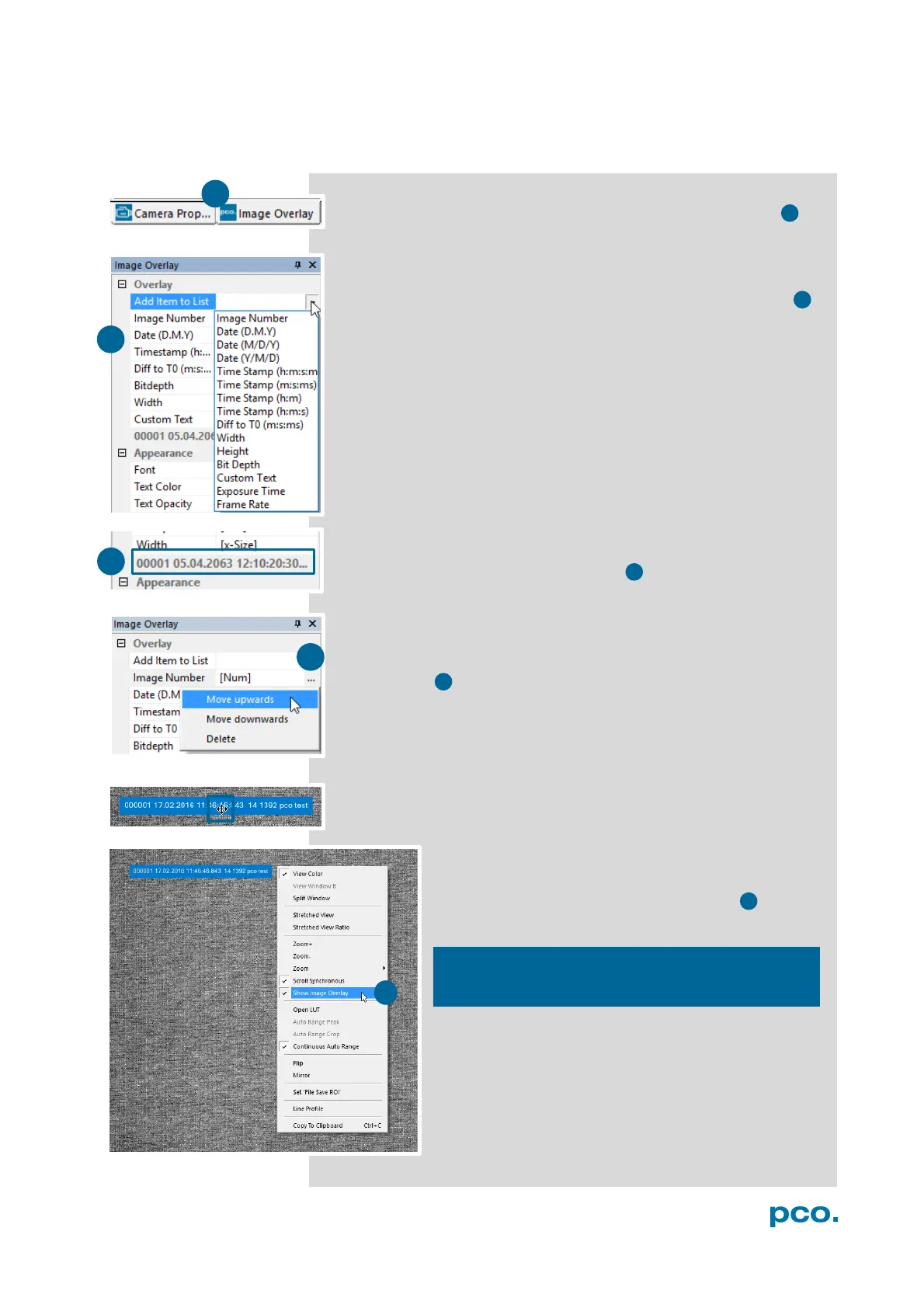
Open Image Overlay: you can easily switch between Camera
Properties window and Image Overlay with these two buttons.
If not available, please see 6.9.5 View Menu to activate this menu.
This function enables an individually configurable image overlay,
which allows to display information within the images.
Many different options are available by clicking Add item to List
Also the Appearance is configurable:
Font, Text color, Text opacity, Background color, Background
opacity and horizontal or vertical orientation.
A preview of the image overlay is shown.
Each item can be moved upwards, downwards or deleted by
clicking on …
By drag & drop the Image Overlay can be moved easily to your
favorite position within an image.
To activate image overlay, right-click in the image
window and activate Show Image Overlay.
This function does not overwrite image data.


 To Next Page