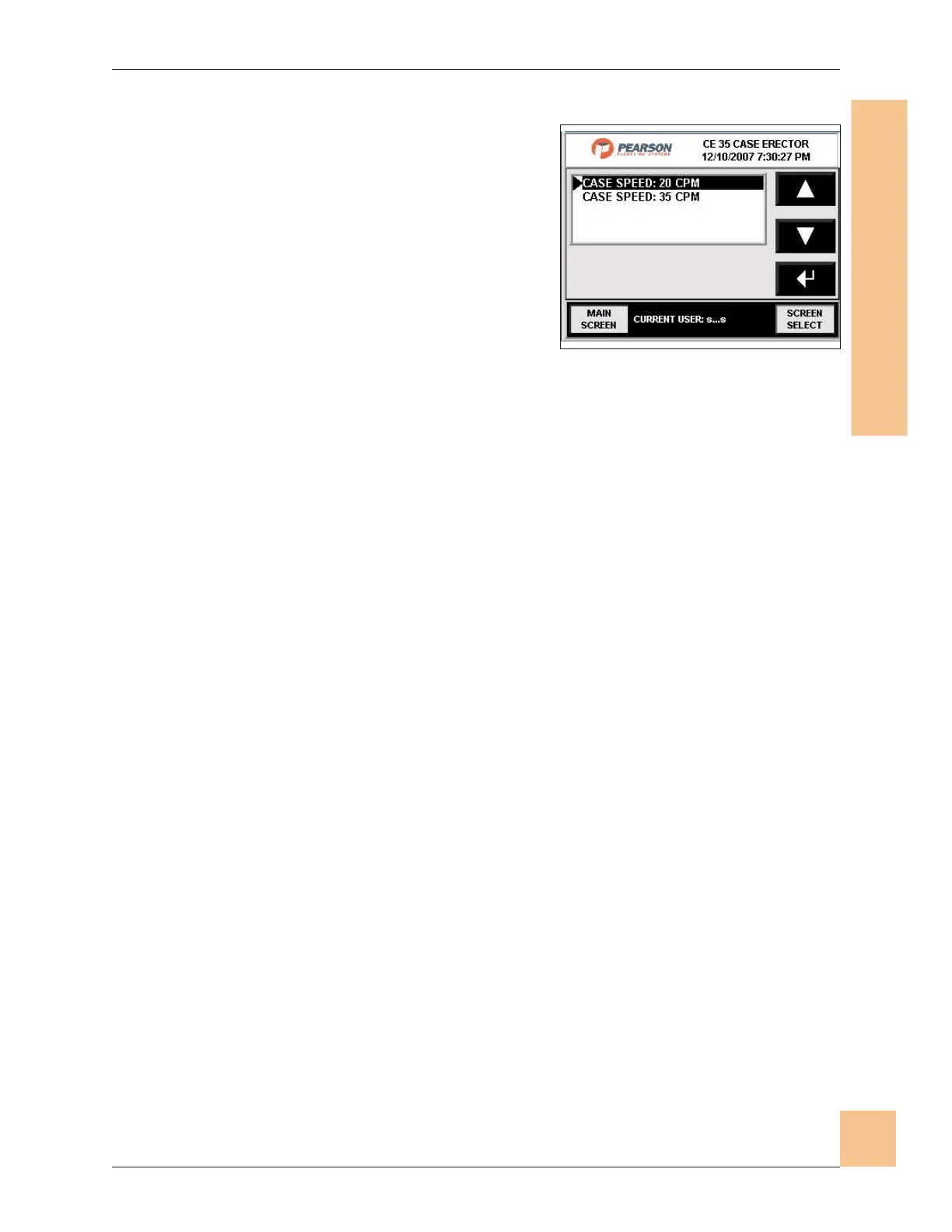
Speed Selection
1. The speed selection screen lists the high
and low speed options for the machine.
2. The bottom center section of the main
operator screen will show which speed is
currently selected.
3. Use the directional keys to scroll up or
down the list.
4. Press Enter when speed is highlighted to
set to new speed.
5. Press Main Screen to bring up the main screen.
6. Press Screen Select will return to the screen selection screen.
Operations Manual CE35-T Case Erector
M-CE35T-2c Horiz Mag 3/2/2010
Human-Machine Interface
(HMI)
83
Fig. 79: Speed Select Screen


 To Next Page