MY22P01 - 12_1.0_31.08.2021
133
Operation
6.18 Using the on-board computer
6.18.1 Attaching the on-board computer
The system is switched off by removing the on-
board computer.
6.18.1.1 Removing the on-board computer
Push the on-board computer catch down and
simultaneously push the on-board computer
forwards and out of the mount.
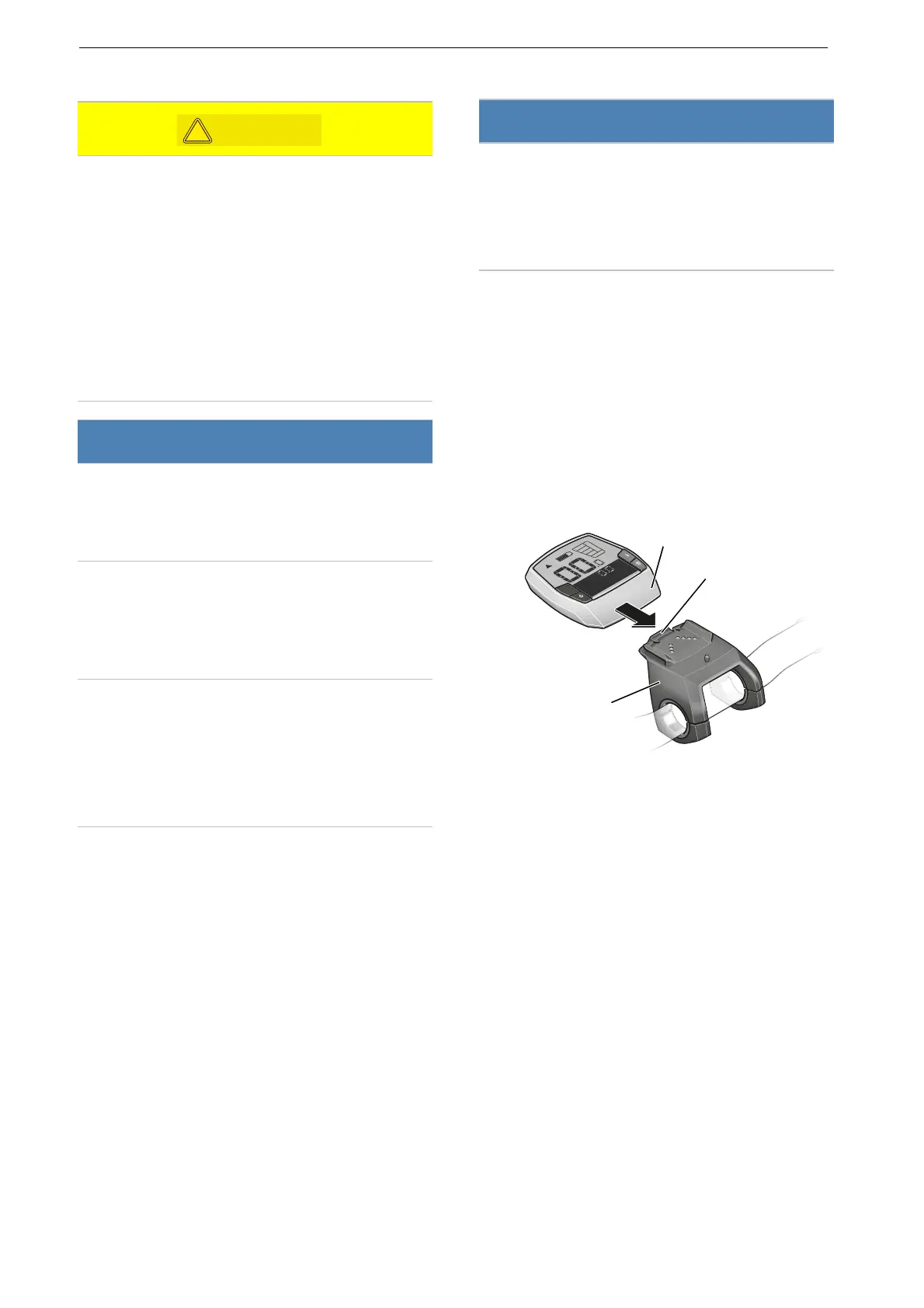
6.18.1.2 Attaching the on-board computer
1 Place the on-board computer on the mount.
2 Push the on-board computer back as far as it
will go.
Figure 137: Push on-board computer (2) over the on-
board computer catch (1) until it locks into the mount (3)
Crash caused by distraction
A lack of concentration while riding increases the
risk of an accident. This may cause a crash with
serious injuries.
Never allow yourself to be distracted by the
on-board computer.
Stop pedelec if you want to make inputs on the
on-board computer other than change the
level of assistance. Only enter data when the
bicycle is stationary.
Notice
Do not use on-board computer as a handle.
The on-board computer may become
irreparably damaged if you use it to lift the
pedelec.
Remove the on-board computer from its mount
if the pedelec is not going to be used for
several weeks. Store the on-board computer
away safely in a dry environment at room
temperature.
The internal on-board computer battery
discharges when it is not in use. This can cause
damage to the internal on-board computer
battery.
Charge internal on-board computer battery
every 3 months for at least 1 hour.
Notice
If the rider is not present, the on-board computer
can be used without authorisation, e.g. it may be
stolen, the system settings may be changed or
journey information may be read.
Remove on-board computer when you park.
ECO
MPH
KM/H
Reichweite
KM /H
RESET



 To Next Page