217
8
Connecting to a Computer
6
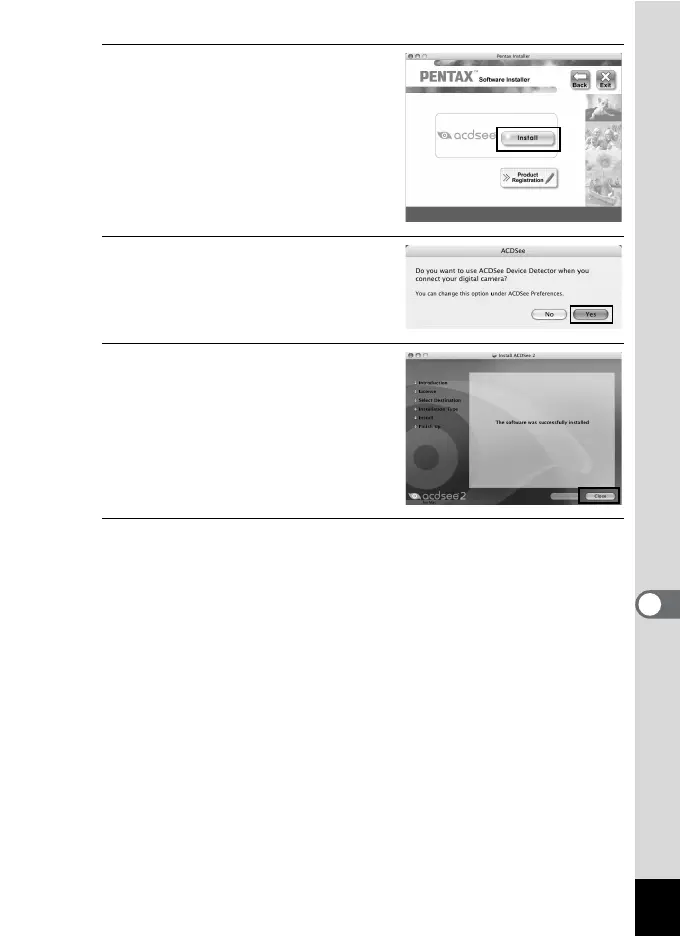
Click [Install].
The setup screen appears.
Follow the on-screen guidance to input
registration information and install the
software.
7
When the screen shown on the
right appears, click [Yes].
8
Click [Close].
“ACDSee 2 for Mac” installation is
complete.
9
Click [Exit] on the installation screen.
The window closes.












 To Next Page