EasyManua.ls Logo

Pentax R07020 - User Manual

Pentax R07020
202 pages
Print Icon
To Next Page IconTo Next Page
Loading...
To ensure the best performance from your camera, please read
the Operating Manual before using the camera.
Model:R07020
PENTAX WG
-
90
Digital Camera
Operating Manual
RICOH IMAGING COMPANY, LTD.
1-3-6, Nakamagome, Ohta-ku, Tokyo 143-8555, JAPAN
(https://www.ricoh-imaging.co.jp)
RICOH IMAGING EUROPE
S.A.S.
Parc Tertiaire SILIC 7-9, avenue Robert Schuman -
B.P. 70102, 94513 Rungis Cedex, FRANCE
(https://www.ricoh-imaging.eu)
RICOH IMAGING
AMERICAS CORPORATION
2 Gatehall Drive Suite 204, Parsippany, New Jersey
07054, U.S.A.
(https://www.us.ricoh-imaging.com)
RICOH IMAGING CANADA
INC.
5560 Explorer Drive Suite 100, Mississauga, Ontario,
L4W 5M3, CANADA
(https://www.ricoh-imaging.ca)
RICOH IMAGING CHINA
CO., LTD.
Room A 23F Lansheng Building, 2-8 Huaihaizhong
Road, Huangpu District, Shanghai, 200021, CHINA
(http://www.ricoh-imaging.com.cn)
https://www.ricoh-imaging.co.jp/english/
This contact information may change without notice.
Please check the latest information on our websites.
Specifications and external dimensions are subject to change without notice.
Copyright © RICOH IMAGING COMPANY, LTD. 2023
R01BAJ23
e_kb635_EN.book Page 1 Thursday, November 9, 2023 9:17 AM

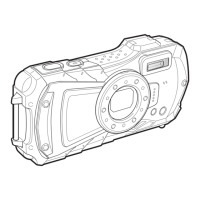
Table of Contents

Other manuals for Pentax R07020

Questions and Answers

  • I
    Ian ColemanAug 7, 2025
    What to do if the shutter will not release on Pentax R07020?
    • P
      paul19Aug 7, 2025
      If the shutter on your Pentax Digital Camera won't release, it could be due to a few reasons. If the flash is charging, wait until it finishes. Also, check if your SD Memory Card or built-in memory is full; if so, insert a card with space or delete images. Finally, if the camera is still recording, wait until it's done.
  • K
    Katherine FletcherAug 12, 2025
    Why the flash does not discharge on Pentax R07020 Digital Camera?
    • M
      maria61Aug 12, 2025
      If the flash on your Pentax Digital Camera isn't discharging, check if the flash mode is set to (Flash Off). If so, change it to (Auto) or (Flash On). Also, the flash will not discharge if the drive mode is set to Continuous Shooting, Burst Shooting, or Auto Bracketing; the focus mode is set to Infinity; or the shooting mode is set to Movie, Underwater Movie, Fireworks, Digital Microscope, Handheld Night Snap, Interval Movie, or High Speed Movie.
  • M
    Mark ReedAug 16, 2025
    Why my Pentax Digital Camera will not turn on?
    • J
      Jason HamiltonAug 16, 2025
      If your Pentax Digital Camera won't turn on, there might be a few reasons. First, ensure a battery is installed. If it is, check its orientation, matching the + and - symbols in the battery compartment. If the battery is depleted, try charging it.
  • R
    Rebecca JonesAug 19, 2025
    Why no image appears on Pentax R07020 Digital Camera display?
    • M
      Marcus HarrisonAug 20, 2025
      If no image appears on the display of your Pentax Digital Camera, it might be because the camera is connected to a computer or TV, which turns the display off. Alternatively, the display might be set to off. Try pressing the 4 button to turn the display on.
  • C
    Cameron Murphy MDAug 25, 2025
    How to fix subject that is not in focus with Pentax R07020?
    • J
      Jeffrey MaysAug 25, 2025
      If the subject is not in focus on your Pentax Digital Camera, it could be due to a couple of reasons. If the subject is difficult to focus on with autofocus, try locking the focus on an object at the same distance by pressing and holding the shutter release button halfway, then aim at your subject and press fully, or set the focus manually. Also, make sure the subject is within the focusing area in the center of the display. If not, lock focus first, then recompose the shot.
  • M
    Mary FuentesAug 28, 2025
    Why is the display hard to see on Pentax R07020?
    • Y
      younglawrenceAug 28, 2025
      If the display on your Pentax Digital Camera is hard to see, the brightness level might be too dark. Adjust it in the [Brightness Level] settings within the [W Setting] menu. Also, if the Power Saving function is on, the display darkens automatically. Press any button to restore normal brightness or turn off the Power Saving function in the [W Setting] menu.
  • C
    Cindy OsbornSep 2, 2025
    Why is the picture dark when using the flash on Pentax Digital Camera?
    • S
      Sarah SmithSep 2, 2025
      If your picture is dark when using the flash on your Pentax Digital Camera, the subject might be too far away in a dark environment. Make sure to take pictures within the specified flash range.

Pentax R07020 Specifications

General IconGeneral
BrandPentax
ModelR07020
CategoryDigital Camera
LanguageEnglish

Related product manuals








