EasyManua.ls Logo

Pentax SF1 - Page 17

Pentax SF1
72 pages
Print Icon
To Next Page IconTo Next Page
To Previous Page IconTo Previous Page
Loading...
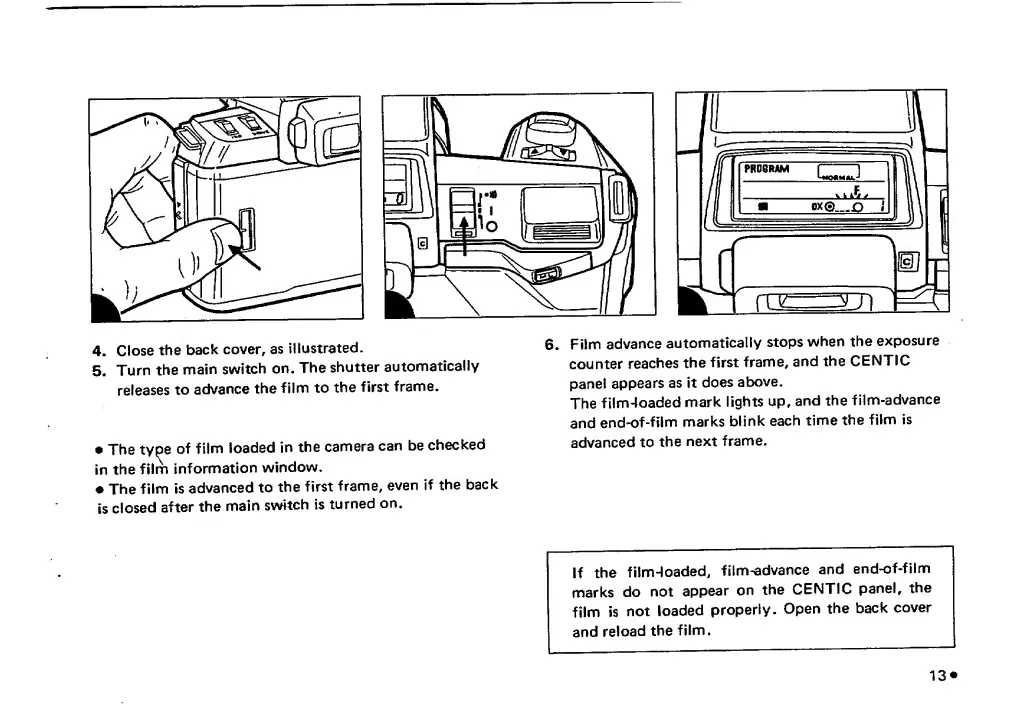
4.
Close
the
back
cover,
as
illustrated.
5.
Turn
the
main
switch
on.
The
shutter
automatically
releases
to
advance
the
film
to
the
first
frame.
The
tyoe
of
film
loaded
in
the
camera
can
be
checked
in
the
film
information
window,
The
film
is
advanced
to
the
first
frame,
even
if
the
back
is
closed
after
the
main
switch
is
turned
on.
6.
F
i
l
m
advance
automatically
stops
when
the
exposure
counter
reaches
the
first
frame,
andtheCENTIC
panel
appears
as
it
does
above.
The
film-loaded
mark
lights
up,
and
the
film-advance
and
end-of-film
marks
blink
each
time
the
film
is
advanced
to
the
next
frame.
If
the
filmHoaded,
film-advance
and
end-of-film
marks
do
not
appear
on
the
CENTIC
panel,
the
film
is
not
loaded
properly.
Open
the
back
cover
and
reload
the
film.

Related product manuals