EasyManua.ls Logo

Pentax SF1 - Focusing (AF SINGLE;AF SERVO)

Pentax SF1
72 pages
Print Icon
To Next Page IconTo Next Page
To Previous Page IconTo Previous Page
Loading...
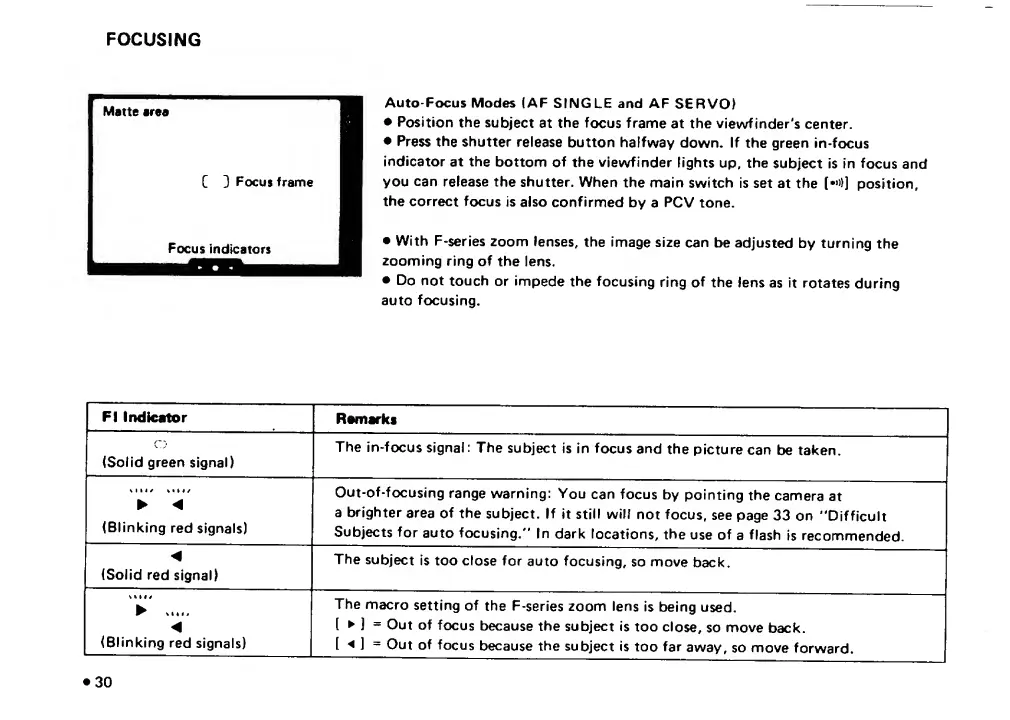
FOCUSING
Auto-Focus
Modes
(AF
SINGLE
and
AF
SERVO)
Position
the
subject
at
the
focus
frame
at
the
viewfinder's
center.
Press
the
shutter
release
button
halfway
down.
If
the
green
in-focus
indicator
at
the
bottom
of
the
viewfinder
lights
up,
the
subject
is
in
focus
and
you
can
release
the
shutter.
When
the
main
switch
is
set
at
the
(••»)]
position,
the
correct
focus
is
also
confirmed
by
a
PCV
tone.
With
F-series
zoom
lenses,
the
image
size
can
be
adjusted
by
turning
the
zooming
ring
of
the
lens.
Do
not
touch
or
impede
the
focusing
ring
of
the
lens
as
it
rotates
during
auto
focusing.
FI
Indicator
Remarks
(Solid
green
signal)
The
In-focus
signal:
The
subject
is
in
focus
and
the
picture
can
be
taken.
<
(Blinking
red
signals)
Out-of-focusing
range
warning:
You
can
focus
by
pointing
the
camera
at
a
brighter
area
of
the
subject.
If
it
still
will
not
focus,
see
page
33
on
"Difficult
Subjects
for
auto
focusing."
In
dark
locations,
the
use
of
a
flash
Is
recommended.
(Solid
red
signal)
The
subject
is
too
close
for
auto
focusing,
so
move
back.
V
.
(Blinking
red
signals)
The
macro
setting
of
the
F-series
zoom
lens
is
being
used.
(
j
=
Out
of
focus
because
the
subject
is
too
close,
so
move
back.
[
^
=
Out
of
focus
because
the
subject
is
too
far
away,
so
move
forward.

Related product manuals