EasyManua.ls Logo

Pentax SF1 - Manual Focusing

Pentax SF1
72 pages
Print Icon
To Next Page IconTo Next Page
To Previous Page IconTo Previous Page
Loading...
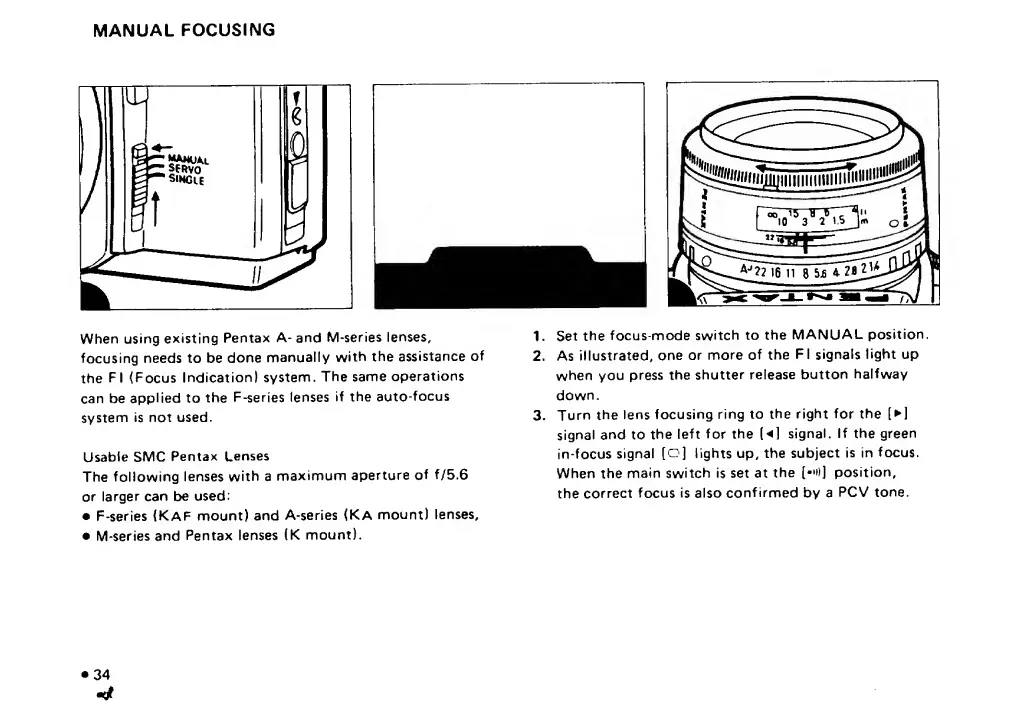
MANUAL
FOCUSING
When
using
existing
Pentax
A-
and
M-series
lenses,
focusing
needs
to
be
done
manually
with
the
assistance
of
the
FI
(Focus
Indication)
system.
The
same
operations
can
be
applied
to
the
F-series
lenses
if
the
auto-focus
system
is
not
used.
Usable
SMC
Pentax
Lenses
The
following
lenses
with
a
maximum
aperture
of
f/5.6
or
larger
can
be
used:
F-series
(Kaf
mount)
and
A-series
(Ka
mount)
lenses,
M-series
and
Pentax
lenses
(K
mount).
1.
Set
the
focus-mode
switch
to
the
MANUAL
position.
2.
As
illustrated,
one
or
more
of
the
FI
signals
light
up
when
you
press
the
shutter
release
button
halfway
down.
3.
Turn
the
lens
focusing
ring
to
the
right
for
the
[
]
signal
and
to
the
left
for
the
(
]
signal.
If
the
green
in-focus
signal
[c]
lights
up,
the
subject
is
in
focus.
When
the
main
switch
is
set
at
the
[•'»)]
position,
the
correct
focus
is
also
confirmed
by
a
PCV
tone.
34

Related product manuals