EasyManua.ls Logo

Pentax SF1 - Shooting in the Metered Manual Mode

Pentax SF1
72 pages
Print Icon
To Next Page IconTo Next Page
To Previous Page IconTo Previous Page
Loading...
SHOOTING
IN
THE
METERED
MANUAL
MODE
Toward
<M«r«xposure
(Blinking
indicaior)
Shutter
speed
Toward
undarexpoeure
(Blinking
inificator)
Metered
Manual
Mode
To
obtain
the
correct
exposure
in
this
mode,
set
a
shutter
speed
and
an
aperture
according
to
the
exposure
meter's
reading.
It
is
also
possible
to
intentionally
over-
or
under¬
expose
the
subject
for
a
special
visual
effect
or
a
photo¬
graphic
theme.
When
the
Metered
Manual
mode
is
selected,
the
CENTIC
panel
confirms
it
by
activating
its
(MAN.],
[
]
shutter
speed
and
[
]
aperture
indicators.
If
the
camera
is
set
at
any
other
mode,
use
the
mode/drive
and
select
switches
to
set
this
mode.
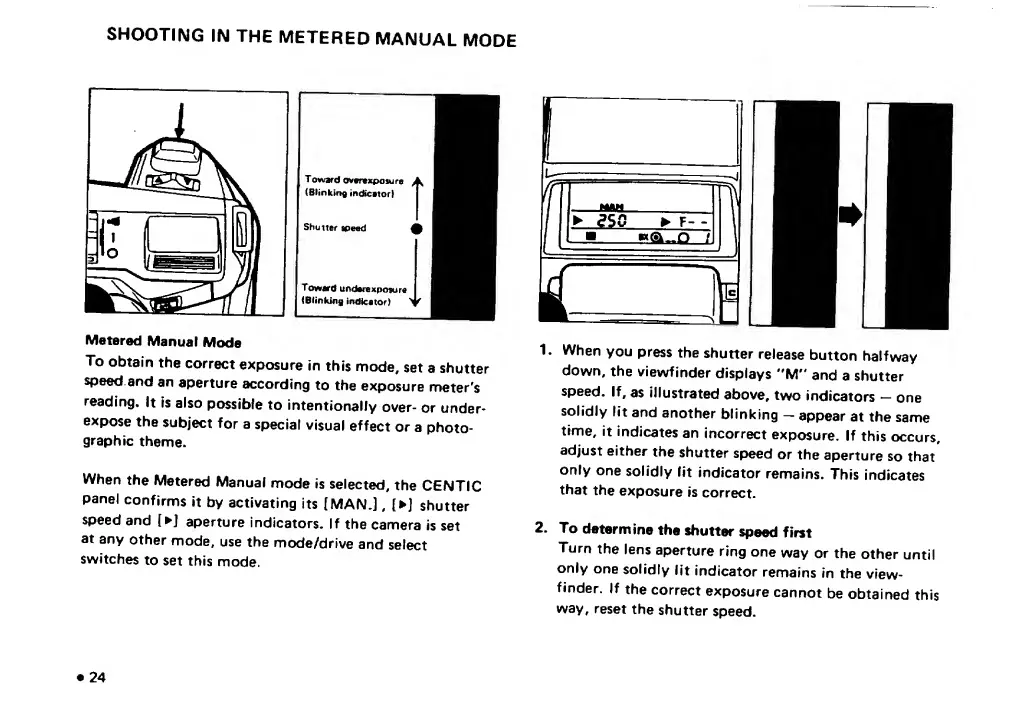
N
1.
When
you
press
the
shutter
release
button
halfway
down,
the
viewfinder
displays
"M"
and
a
shutter
speed.
If,
as
illustrated
above,
two
indicators
-
one
solidly
lit
and
another
blinking
-
appear
at
the
same
time,
it
indicates
an
incorrect
exposure.
If
this
occurs,
adjust
either
the
shutter
speed
or
the
aperture
so
that
only
one
solidly
lit
indicator
remains.
This
indicates
that
the
exposure
is
correct.
2.
To
determine
the
shutter
speed
first
Turn
the
lens
aperture
ring
one
way
or
the
other
until
only
one
solidly
lit
indicator
remains
in
the
view¬
finder.
If
the
correct
exposure
cannot
be
obtained
this
way,
reset
the
shutter
speed.
24

Related product manuals