EasyManua.ls Logo

Pentax SF1 - Shooting in the Programmed AE Mode

Pentax SF1
72 pages
Print Icon
To Next Page IconTo Next Page
To Previous Page IconTo Previous Page
Loading...
SHOOTING
IN
THE
PROGRAMMED
AE
MODE
Exposure
Modes
When
Aperture
Ring
is
Set
at
"A"
Programmed
AE
modes
Program
Action
Normal
Program
Program
Depth
Shutter*Priority
AE
mode
The
exposure
modes
mentioned
above
can
be
used
only
in
combination
with
SMC
Pentax-F
or
-A
lenses.
Programmed
Auto
Exposure
System
The
camera
automatically
selects
the
optimum
combination
of
aperture
and
shutter
speed
to
ensure
correct
exposure
according
to
the
lighting
conditions
surrounding
the
subject.
The
Programmed
AE
modes
free
you
from
complicated
exposure
controls
and
allow
you
to
concentrate
on
the
subject,
so
take
advantage
of
them
for
standard
shooting
and
in
situations
when
shutter
speed
is
crucial.
This
camera
features
three
Programmed
AE
modes
suitable
for
a
wide
range
of
photographic
situations.
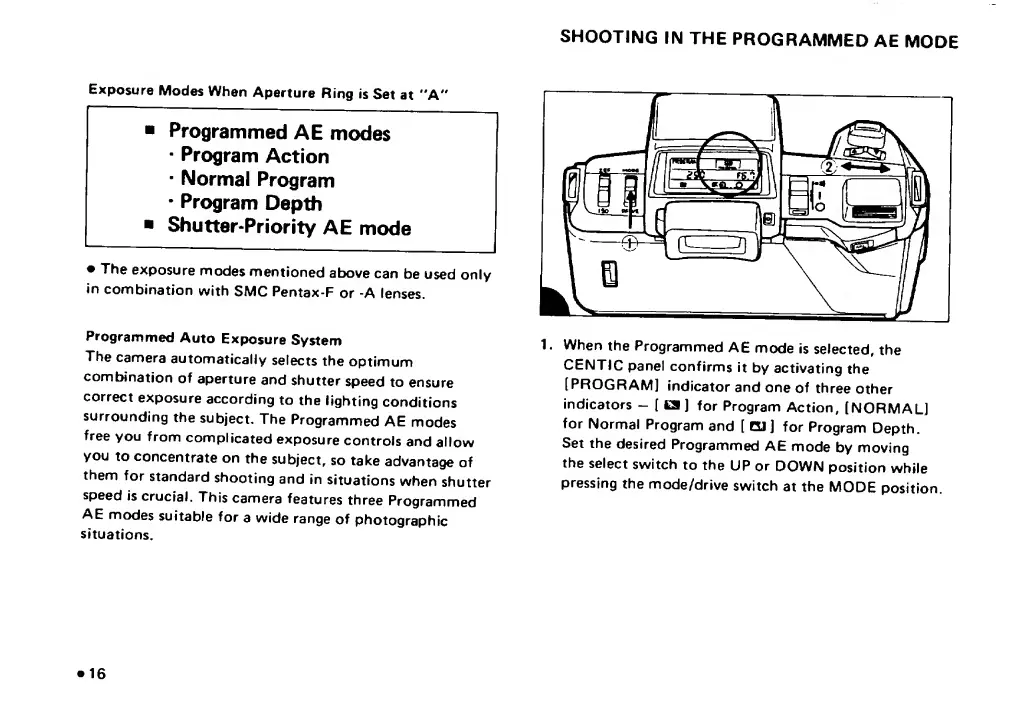
1.
When
the
Programmed
AE
mode
is
selected,
the
CENTIC
panel
confirms
it
by
activating
the
[PROGRAM]
indicator
and
one
of
three
other
indicators
-
(
CS
J
for
Program
Action,
[NORMAL]
for
Normal
Program
and
[
CU]
for
Program
Depth.
Set
the
desired
Programmed
AE
mode
by
moving
the
select
switch
to
the
UP
or
DOWN
position
while
pressing
the
mode/drive
switch
at
the
MODE
position.
16

Related product manuals