EasyManua.ls Logo

Pentax SF1 - Page 35

Pentax SF1
72 pages
Print Icon
To Next Page IconTo Next Page
To Previous Page IconTo Previous Page
Loading...
AF
SINGLE
Mode
The
shutter
cannot
be
released
until
the
subject
is
in
focus.
Focusing
is
fixed
as
long
as
you
press
the
shutter
release
button
halfway
down
with
the
green
in-focus
signal
[O]
on.
(See
page
32
about
the
focus-lock
function.)
To
change
the
direction
of
shooting
after
focusing
is
fixed,
it
is
necessary
to
let
the
shutter
release
button
go
and
press
it
again.
If
you
press
the
shutter
release
button
ail
the
way
down
in
one
movement,
the
shutter
is
released
after
the
subject
is
in
focus.
The
"Snap-in-Focus"
can
be
used
in
combination
with
a
Pentax
K/\-
or
K-mount
lens.
Adjust
the
focus
manually
at
the
point
you
expect
to
capture
the
subject
and
hold
the
shutter
release
button
all
the
way
down.
The
shutter
will
release
automatically
as
soon
as
the
subject
moves
into
the
prefocused
area.
AF
SERVO
Mode
In
the
AF
SERVO
mode,
you
can
release
the
shutter
anytime,
regardless
of
the
focusing
situation.
As
long
as
you
press
the
shutter
release
button
halfway
down,
the
camera
continues
focusing
on
the
subject
even
when
it
is
moving.
If
you
release
the
shutter
when
the
green
in-focus
signal
[o]
lights
up,
the
subject
is
captured
In
focus.
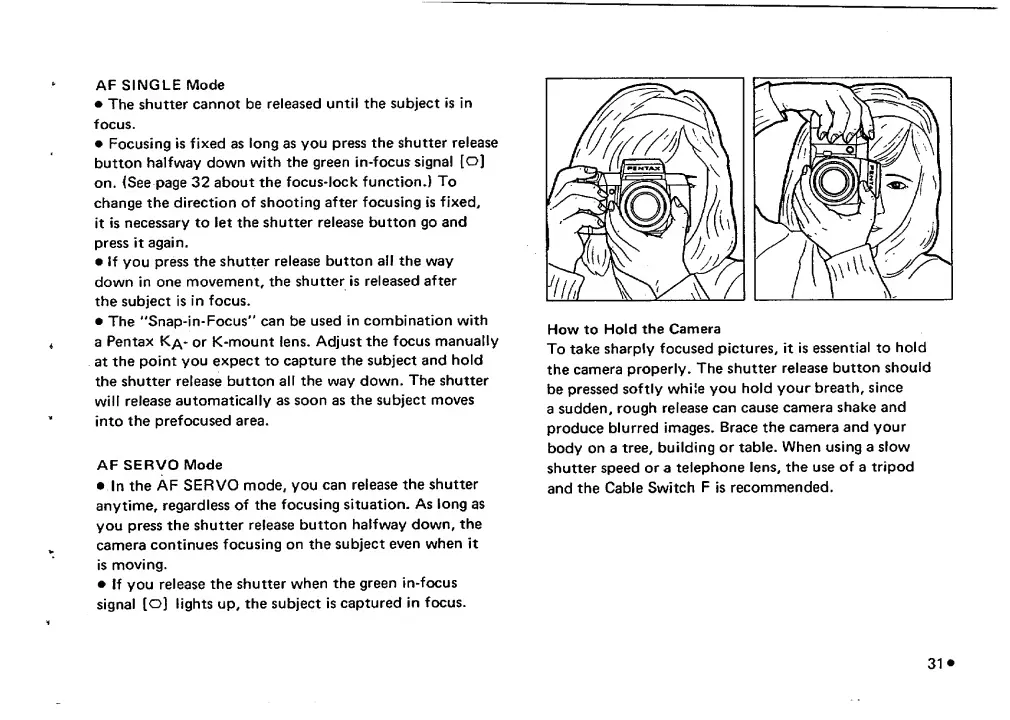
How
to
Hold
the
Camera
To
take
sharply
focused
pictures,
it
is
essential
to
hold
the
camera
properly.
The
shutter
release
button
should
be
pressed
softly
while
you
hold
your
breath,
since
a
sudden,
rough
release
can
cause
camera
shake
and
produce
blurred
images.
Brace
the
camera
and
your
body
on
a
tree,
building
or
table.
When
using
a
slow
shutter
speed
or
a
telephone
lens,
the
use
of
a
tripod
and
the
Cable
Switch
F
is
recommended.

Related product manuals