EasyManua.ls Logo

Pentax SF1 - Page 7

Pentax SF1
72 pages
Print Icon
To Next Page IconTo Next Page
To Previous Page IconTo Previous Page
Loading...
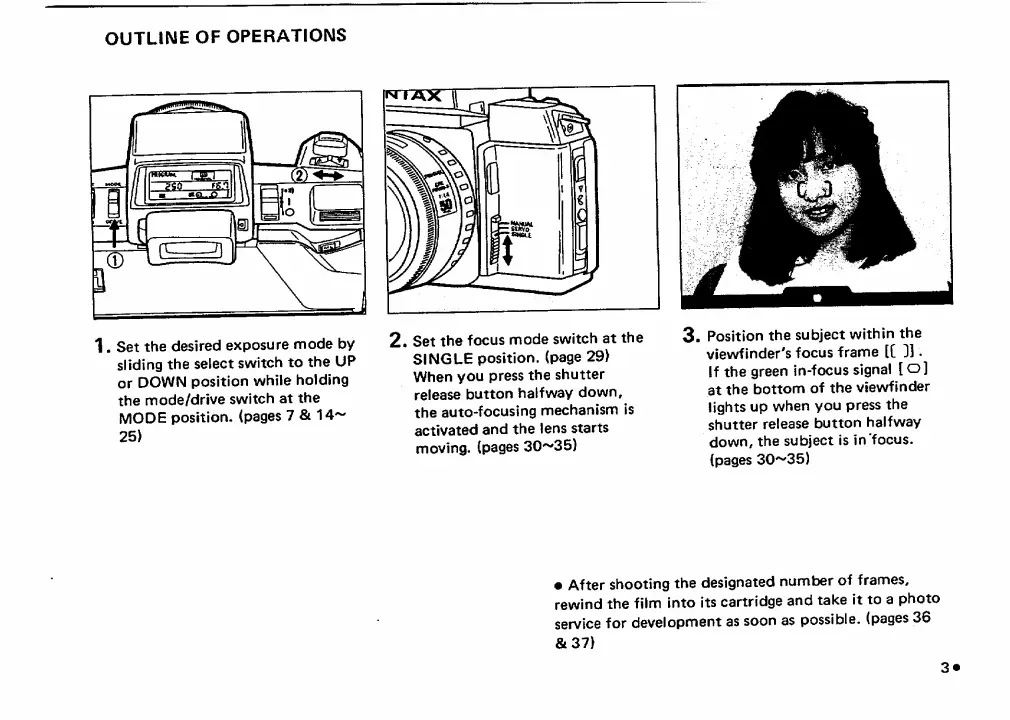
OUTLINE
OF
OPERATIONS
1.
S
et
the
desired
exposure
mode
by
sliding
the
select
switch
to
the
UP
or
DOWN
position
while
holding
the
mode/drive
switch
at
the
mode
position,
(pages
7
&
14-^
25)
2
,
S
et
the
focus
mode
switch
at
the
SINGLE
position,
(page
29)
When
you
press
the
shutter
release
button
halfway
down,
the
auto-focusing
mechanism
is
activated
and
the
lens
starts
moving,
(pages
30^35)
3
.
P
osition
the
subject
within
the
viewfinder's
focus
frame
[[
]].
If
the
green
in-focus
signal
[
o]
at
the
bottom
of
the
viewfinder
lights
up
when
you
press
the
shutter
release
button
halfway
down,
the
subject
is
in
focus,
(pages
30^35)
After
shooting
the
designated
number
of
frames,
rewind
the
film
into
its
cartridge
and
take
it
to
a
photo
service
for
development
as
soon
as
possible,
(pages
36
&37)
3
#

Related product manuals