VisuNet Control Center 6
VisuNet CC Setup
2023-05
13
5VisuNet CC Setup
VisuNet CC uses a project-based approach. This means that the configuration of RMs /BTCs
can be stored in a file, e.g., on the local hardware drive, or shared among different computers
running VisuNet CC.
All configuration changes made in VisuNet CC are stored locally. To synchronize the local con-
figuration that is stored in a project with the configuration on the RMs / BTCs use the "down-
load" function of VisuNet CC. This function loads the configuration from an RM / BTC into the
local representation in the project file.
To apply changes to an RM / BTC, the changes must be uploaded to the RM / BTC. Use the
“upload” function to upload the configuration to an RM / BTC. This allows the modification of
configurations even when an RM / BTC is offline.
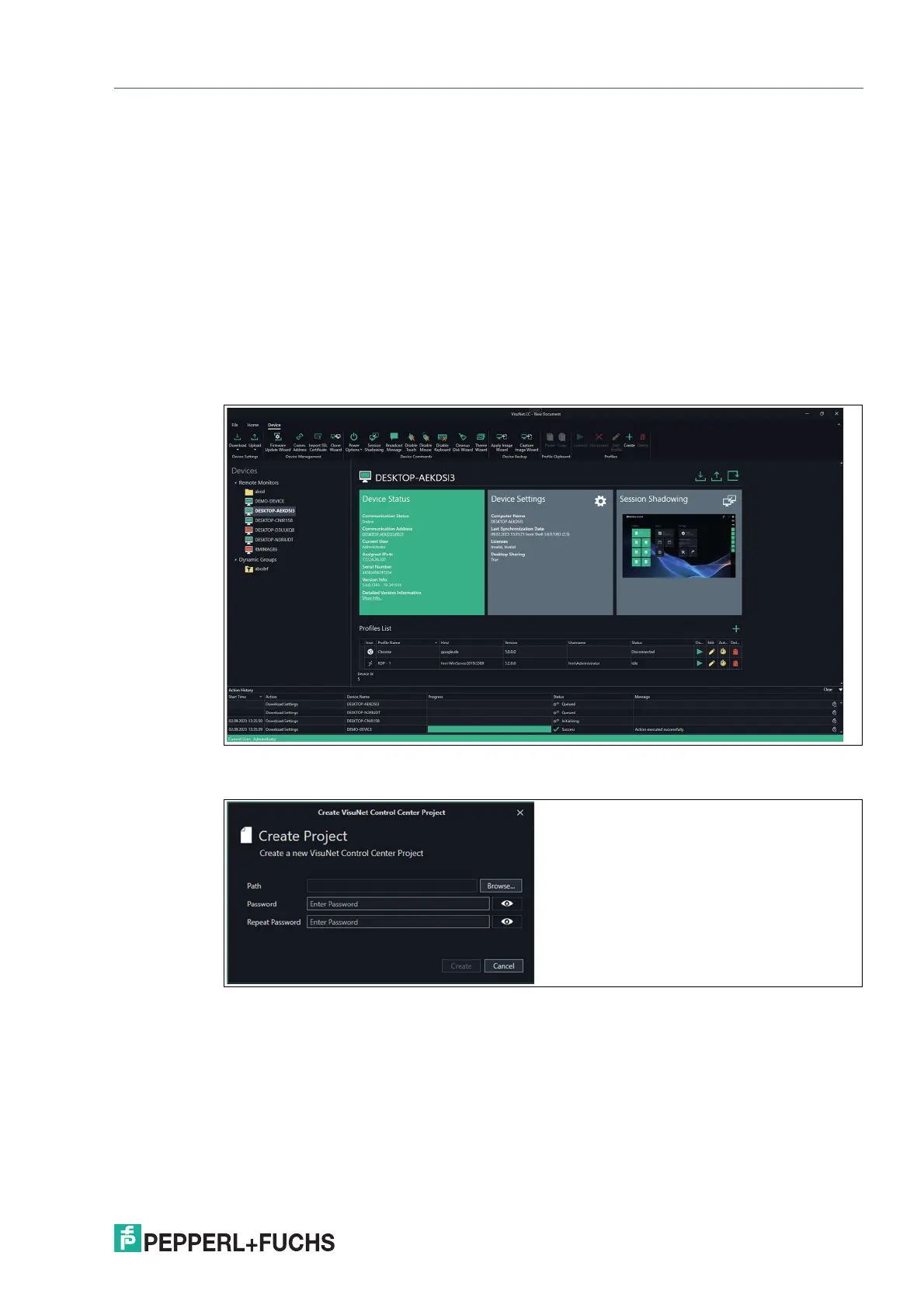
When starting VisuNet CC a dialog is shown where you can select to access the last opened
project, open from a project file or create new project.
Figure 5.1
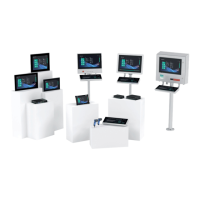
The projects needs to be password protected.
Figure 5.2
VisuNet CC Wizard:
Whenever actions need to be perfomed for multiple devices it is necessary to perform these
with the VisuNet CC Wizard.The Wizard guides you with a sequence of dialog boxes through
defiend steps and turns complex tasks into easy executable steps.



 To Next Page