124
IOLAN
+
- User and Administration Guide
Network errors
Try 'pinging' the IOLAN+ to establish connection.
Network cable
problems
Check the network cable again. Does it work on another node
correctly. Is the BNC (or AUI) connector fitted correctly?
Configuration
problems
Check the IP address again on the
Server Menu
.
Power problems
Is the green LED power light on? Check the power itself with
the plug, wall socket, fuses, etc. Is the green LED power
light dim? Call your supplier or Perle support.
Hardware
problems
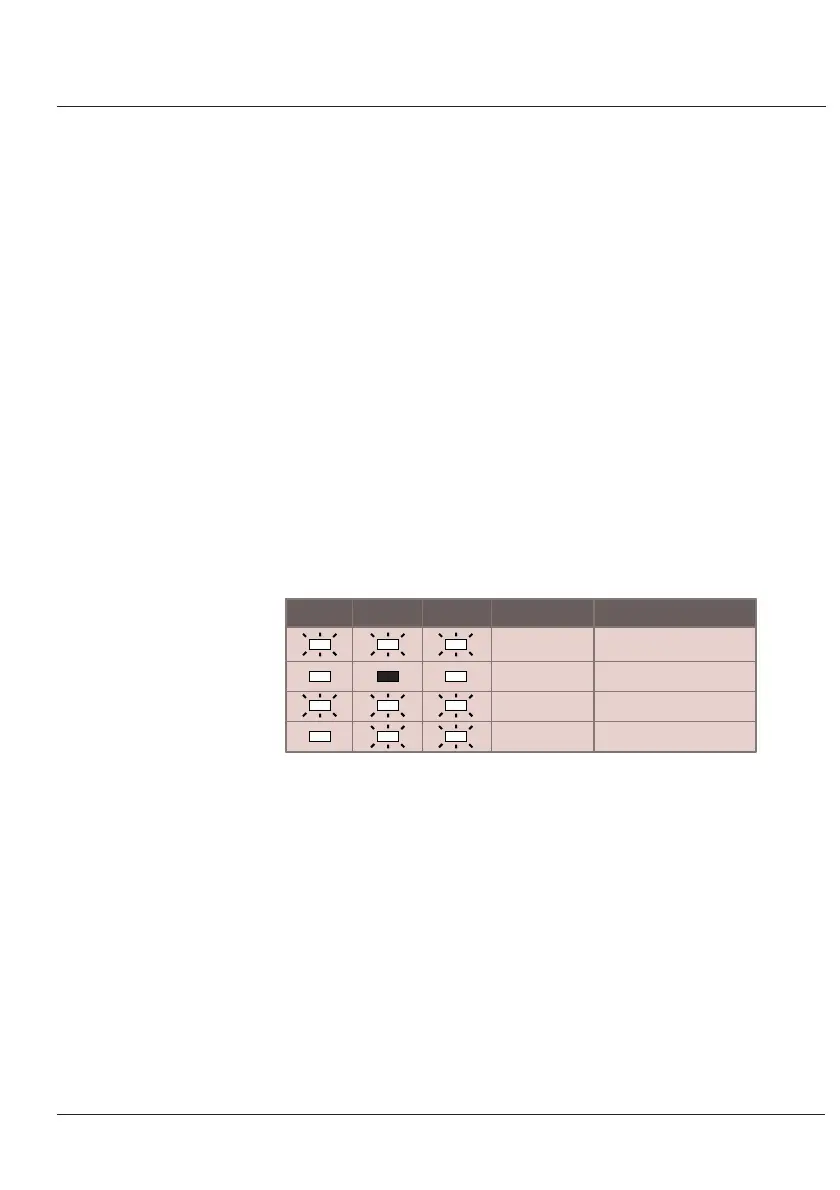
If all three network LEDs are flashing this may point to a
hardware fault. There may also be a problem with the
Ethernet ports. Call your supplier or Perle support.
AUI 10BASE2 10BASE-T
Together
Static
In sequence
In sequence
Fault
RAM
IF
Serial device UART#1
Serial device UART#2
Note: IOLAN+ 102/104 can only display RAM and IF.
Reset
It is possible that with various configurations or odd network
traffic, the unit has locked. It may be freed by resetting the
unit to factory defaults (see below)
B.5 Resetting
Your IOLAN+
At times, a support problem may require you to reset or
diagnose your IOLAN+. It is best to discuss this matter with
your supplier or Perle technical support. A factory reset
may be performed by using the reset switch.



 To Next Page