沛瑞科技股份有限公司 TEL:886-2-2984-0000
www.perytech.com Peregrine Technology CO., LTD. FAX:886-2-2983-9999
5.2.3. Setting the trigger mode
Mode menu function is for setting the trigger mode. There are three trigger modes to
choose from:
Auto: auto mode. After a period of time with no trigger, the system will automatically
obtain the wave pattern. This is the most commonly used mode.
Normal: normal mode. The wave pattern will only be obtained when triggered.
Single: stops after being triggered one time.
5.2.4. Adjusting trigger level
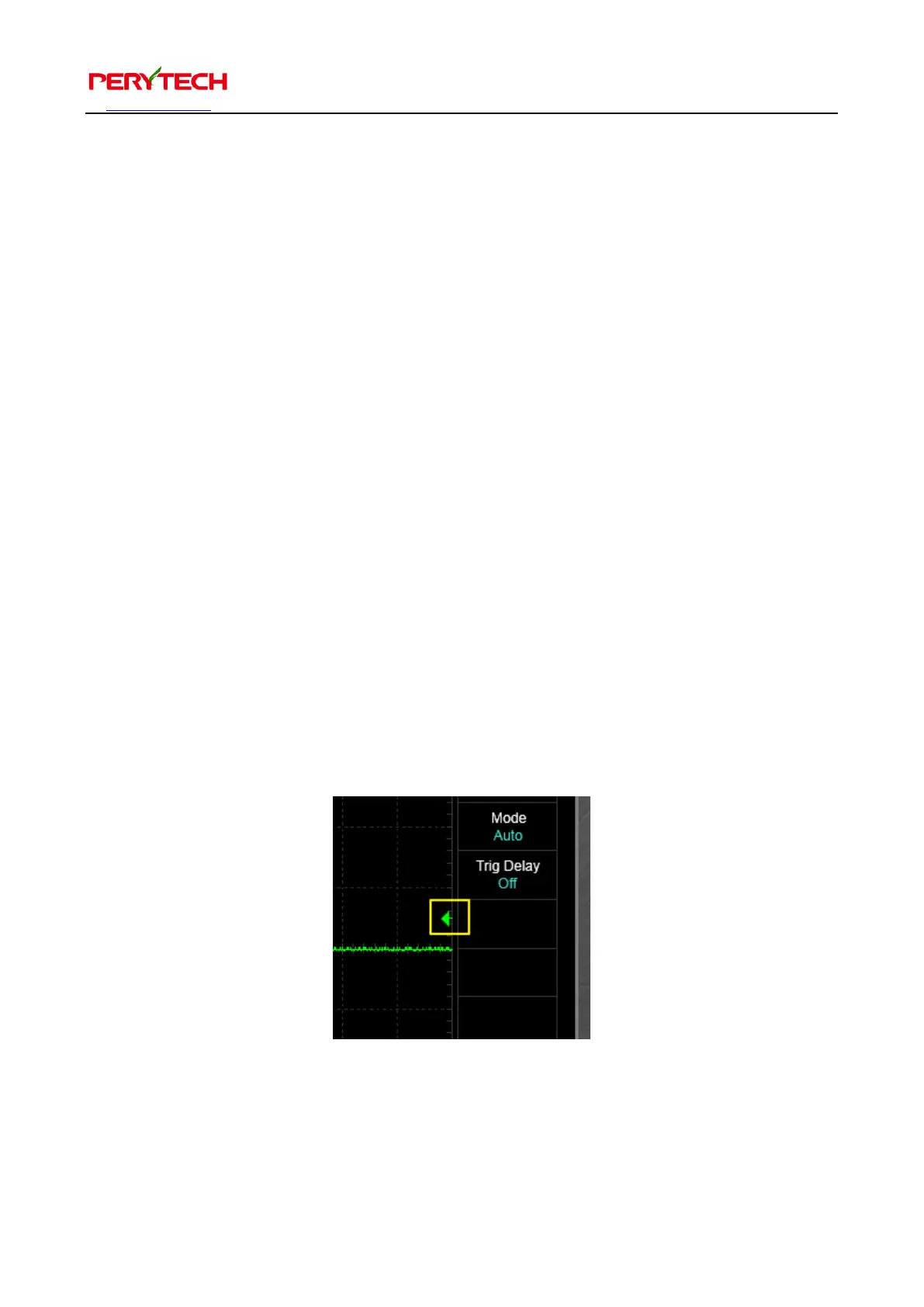
The arrowhead on the right side of the screen is used to adjust the trigger level, as
shown in the yellow frame in the following figure. The left button of the mouse can be
used for dragging. When the trigger channel is set at CH1 the arrowhead is green
(CH1’s color). When the trigger channel is set at CH2 the arrowhead is red.


 To Next Page