沛瑞科技股份有限公司 TEL:886-2-2984-0000
www.perytech.com Peregrine Technology CO., LTD. FAX:886-2-2983-9999
5.7. Save function
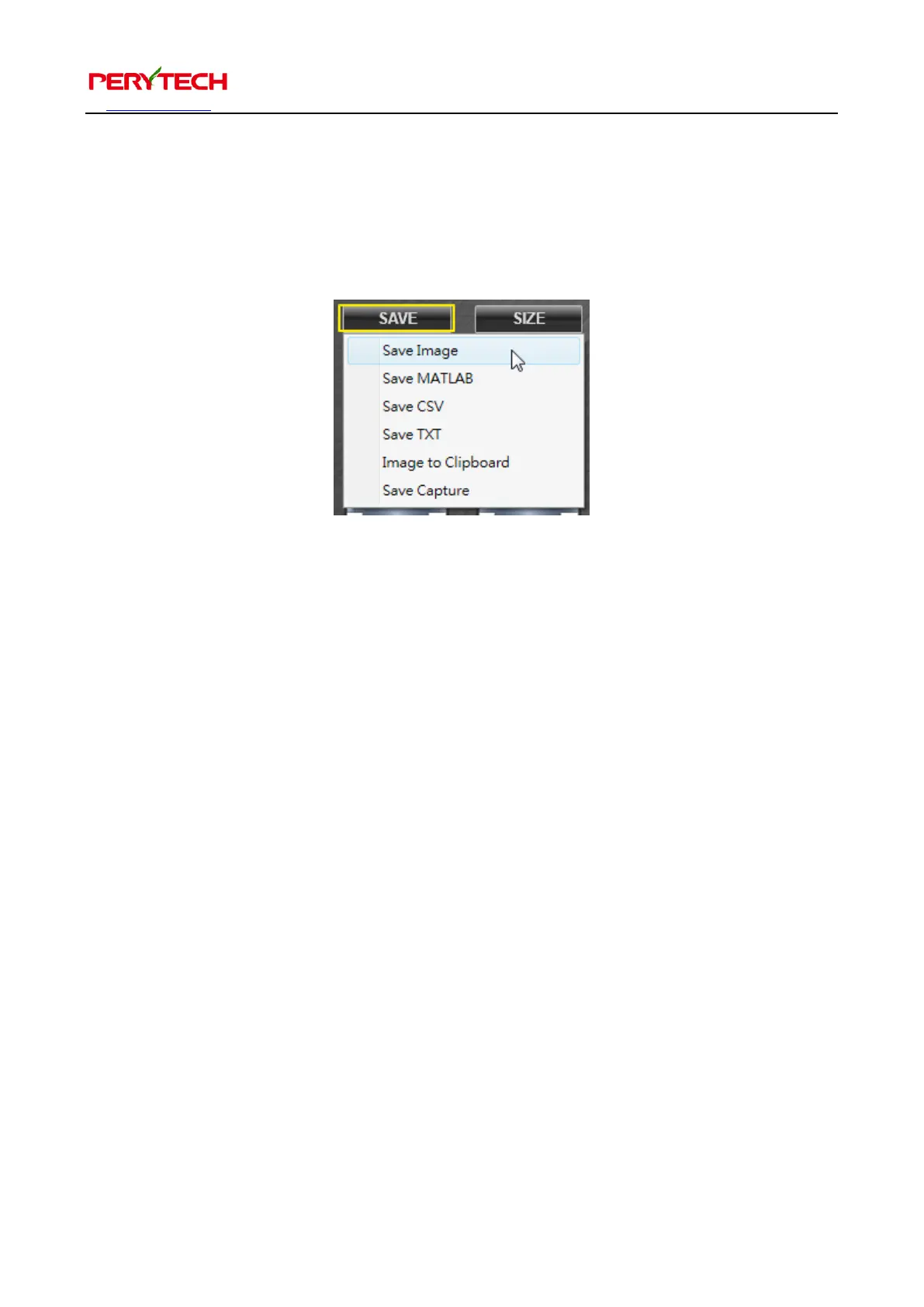
Press the SAVE button in the main function keys to bring up the save menu. Users can
choose the file type to be saved, as shown below.
There are five file types to choose from. Save Image is to save the file as an image file.
When saving as an image file, the user can choose to save as a png file or a bmp file.
Save MATLAB is to save the data as the m file used by MATLAB software. Save CSV is
to save the data as a csv file (for Excel ). Image to Clipboard is to save to the clipboard,
which can be pasted on pictures used in document software.
5.8. Print Function
Press the PRINT in the main function key to display the print window. User can choose
the printer to print the wave pattern.


 To Next Page