Contents
Safety Regulation ...................................................................................................................................... 3
1. System Requirements ..................................................................................................................... 4
2. Contents ............................................................................................................................................... 5
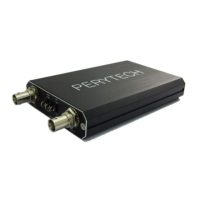
3. Exterior Appearance of DSO Host ............................................................................................. 6
4. Software Installation ....................................................................................................................... 7
5. Oscilloscope Operating Instructions ....................................................................................... 8
5.1. Quick start ....................................................................................................................................... 8
5.1.1. Channel selection..................................................................................................................... 8
5.1.2. Main function keys .................................................................................................................. 9
5.1.3. Sub function menu ............................................................................................................... 10
5.2. Setting the trigger function .................................................................................................. 12
5.2.1. Setting the trigger source ................................................................................................. 12
5.2.2. Setting the trigger slope .................................................................................................... 12
5.2.3. Setting the trigger mode ................................................................................................... 13
5.2.4. Adjusting trigger level ........................................................................................................ 13
5.3. Display function setting ......................................................................................................... 14
5.3.1. Wave pattern display switch (Display On/Off) ........................................................ 14
5.3.2. Coupling setting (DC/AC) ................................................................................................. 15
5.3.3. Probe setting .......................................................................................................................... 15
5.3.4. Band width setting ............................................................................................................... 16
5.3.5. Zoom related functions ...................................................................................................... 16
5.3.6. FFT function ............................................................................................................................. 17
5.3.7. XY mode (Lissajous curve) ................................................................................................ 19
5.3.8. Wave pattern calculation function (Math) ................................................................. 20
5.3.9. Overview function ................................................................................................................ 22
5.3.10. Frequency Counter function ........................................................................................ 23
5.4. Cursor function setting ........................................................................................................... 24
5.5. Automatic Measurement Function ................................................................................... 26
5.6. Setting Function ........................................................................................................................ 28
5.6.1. Set language ........................................................................................................................... 28
5.6.2. Calibration function ............................................................................................................. 29


 To Next Page