沛瑞科技股份有限公司 TEL:886-2-2984-0000
www.perytech.com Peregrine Technology CO., LTD. FAX:886-2-2983-9999
5.3. Display function setting
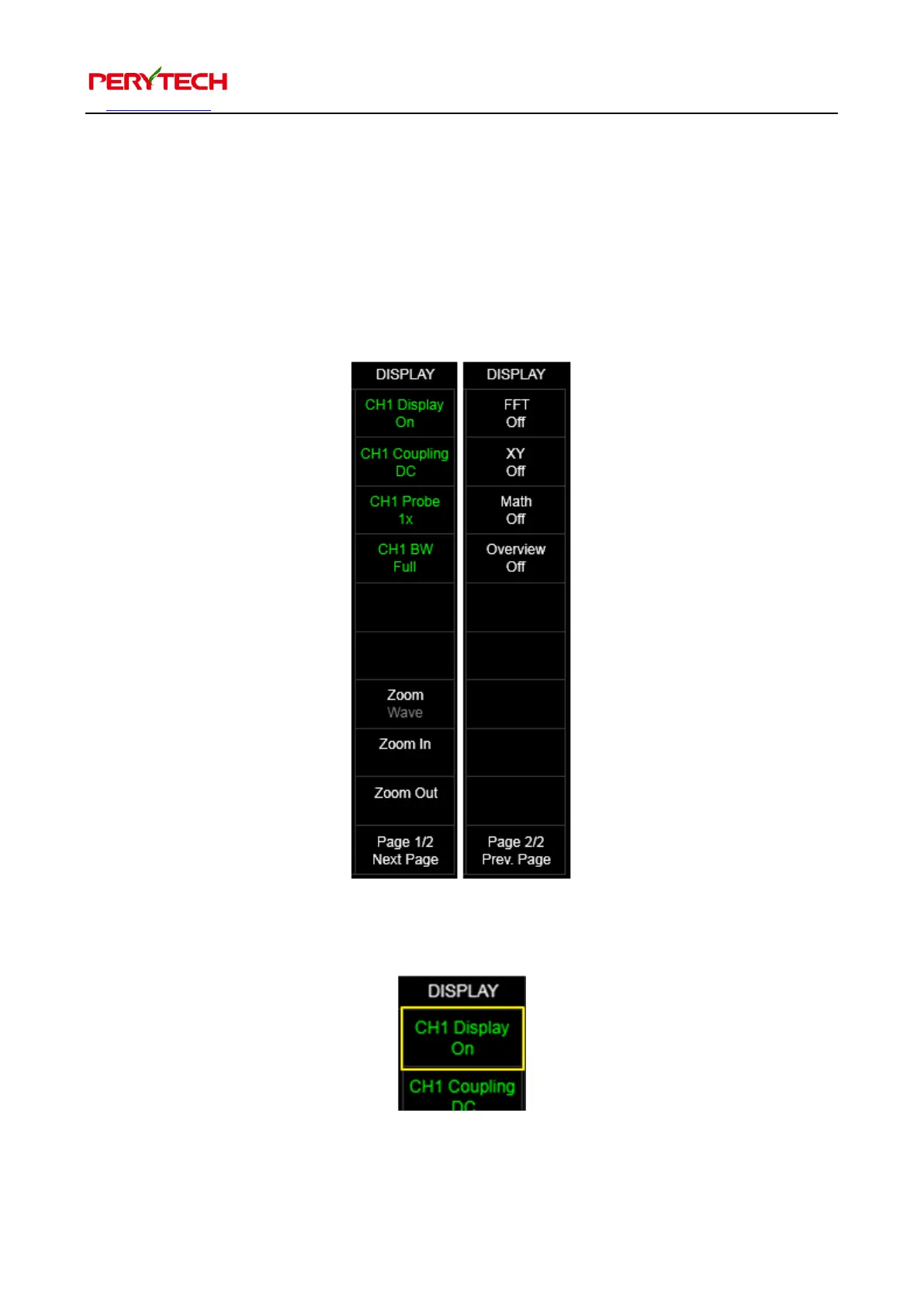
Press the DISPLAY in the main function keys to see the display sub function menu.
There are two pages to the display sub function menu, as shown below. Select Next
Page at the bottom of the menu of Prev Page to switch pages. The following describes
each menu function.
5.3.1. Wave pattern display switch (Display On/Off)
CHx Display menu can be used to turn on and off the wave pattern display. The
default is to display when turned on. Click to switch to off. When the channel is in Ch1,


 To Next Page