沛瑞科技股份有限公司 TEL:886-2-2984-0000
www.perytech.com Peregrine Technology CO., LTD. FAX:886-2-2983-9999
5. Oscilloscope Operating Instructions
5.1. Quick start
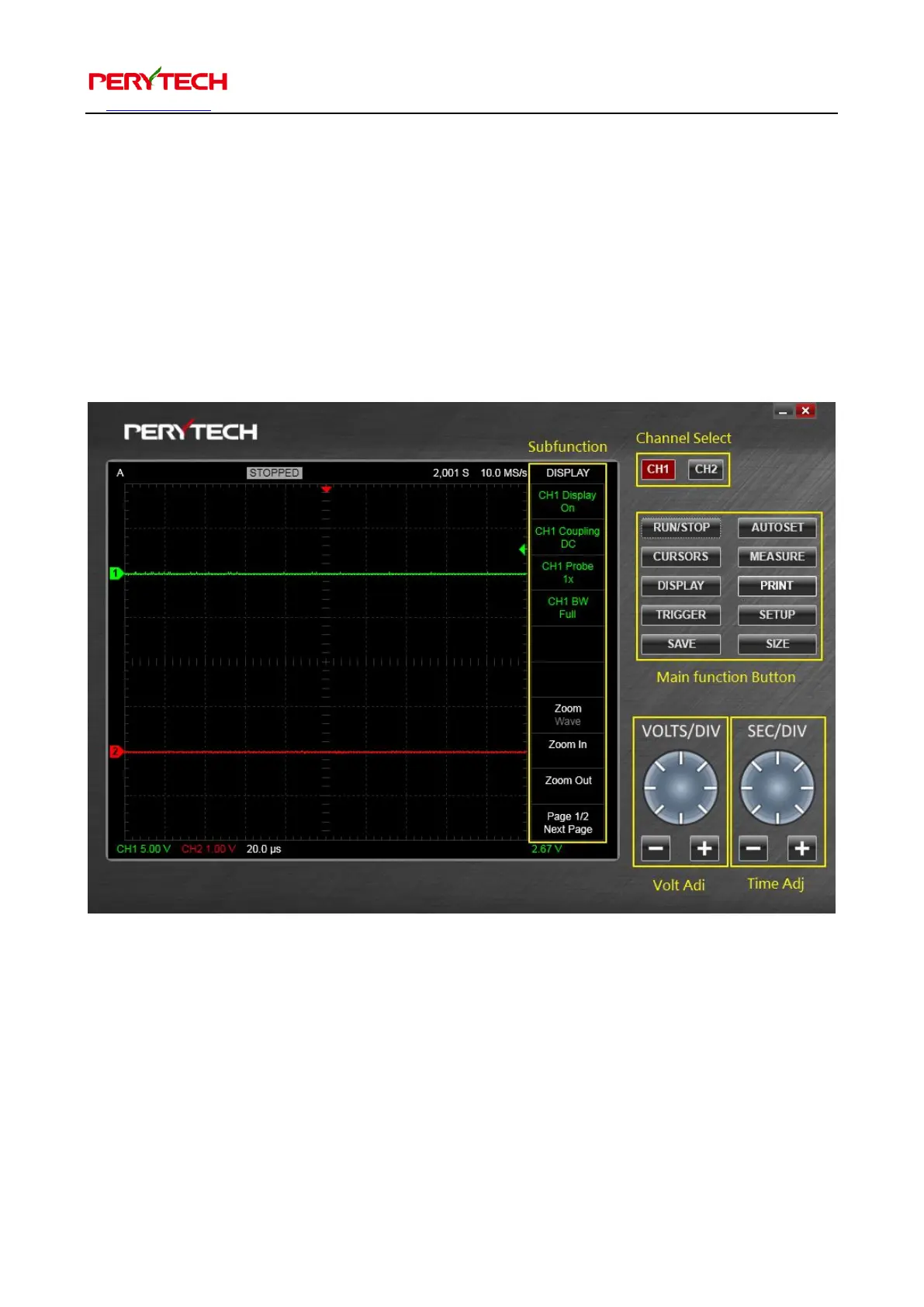
Click the DSO shortcut on the desktop to activate the DSO software. The DSO
software home screen looks like the following figure (the yellow words and the frame
are added for description purpose). The following describes the various functions.
5.1.1. Channel selection
The two buttons on the top right side are the channel selection button, as shown
below. Channel selection buttons are used to select the desire channel. The selected
channel button will turn red. There are two channels when connected to a DSO so
there are two buttons. When connected to two DSO, there will be four channels and


 To Next Page