沛瑞科技股份有限公司 TEL:886-2-2984-0000
www.perytech.com Peregrine Technology CO., LTD. FAX:886-2-2983-9999
5.1.3. Sub function menu
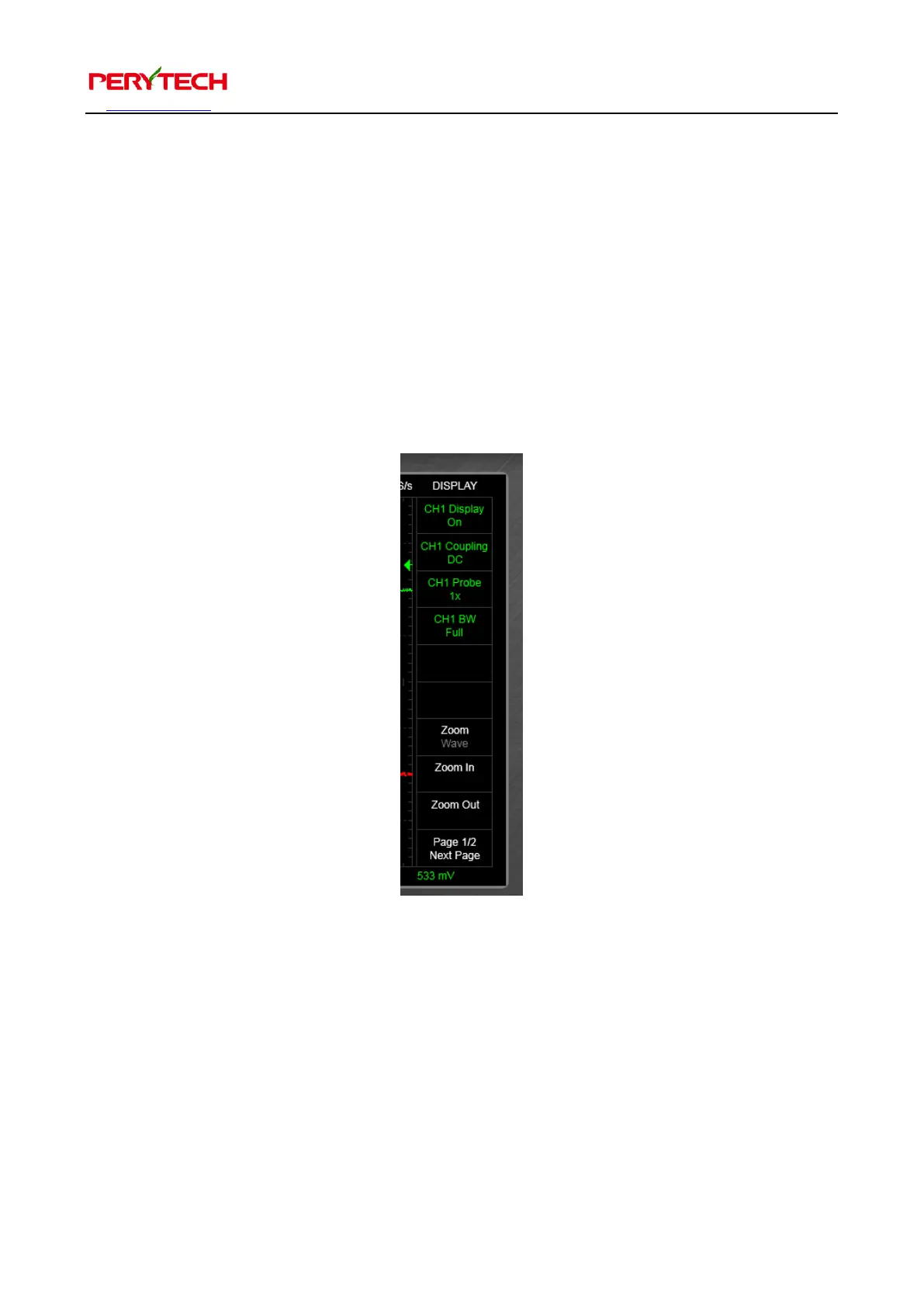
The sub function menu, as shown below, is on the left side of the main function keys.
Just click to implement. Some main functions have a sub function menu. Select
different main function keys and different sub function menus will appear. When the
font is green (Channel 1 color), this means that the menu has CH1 sub functions. Red
font (Channel 2 color) means the menu is for Channel 2 sub functions. You can use the
channel selection button to select the channel you desire. White font indicate sub
functions not related to any channels.
There are two knobs below the main function keys, as show in the following figure.
The left side is used to adjust the voltage range and the right side is used to adjust the
time range. Clicking the knob with the left button of the mouse and moving the knob
up is to increase the setting. Moving the knob down is to decrease the setting. User
can also use the “+” or “-” below the knob for control. Voltage range is controlled
individually by each channel. When the CH1 is selected, the adjusted voltage range is


 To Next Page