沛瑞科技股份有限公司 TEL:886-2-2984-0000
www.perytech.com Peregrine Technology CO., LTD. FAX:886-2-2983-9999
5.6.7.2. Wave pattern smoothing function
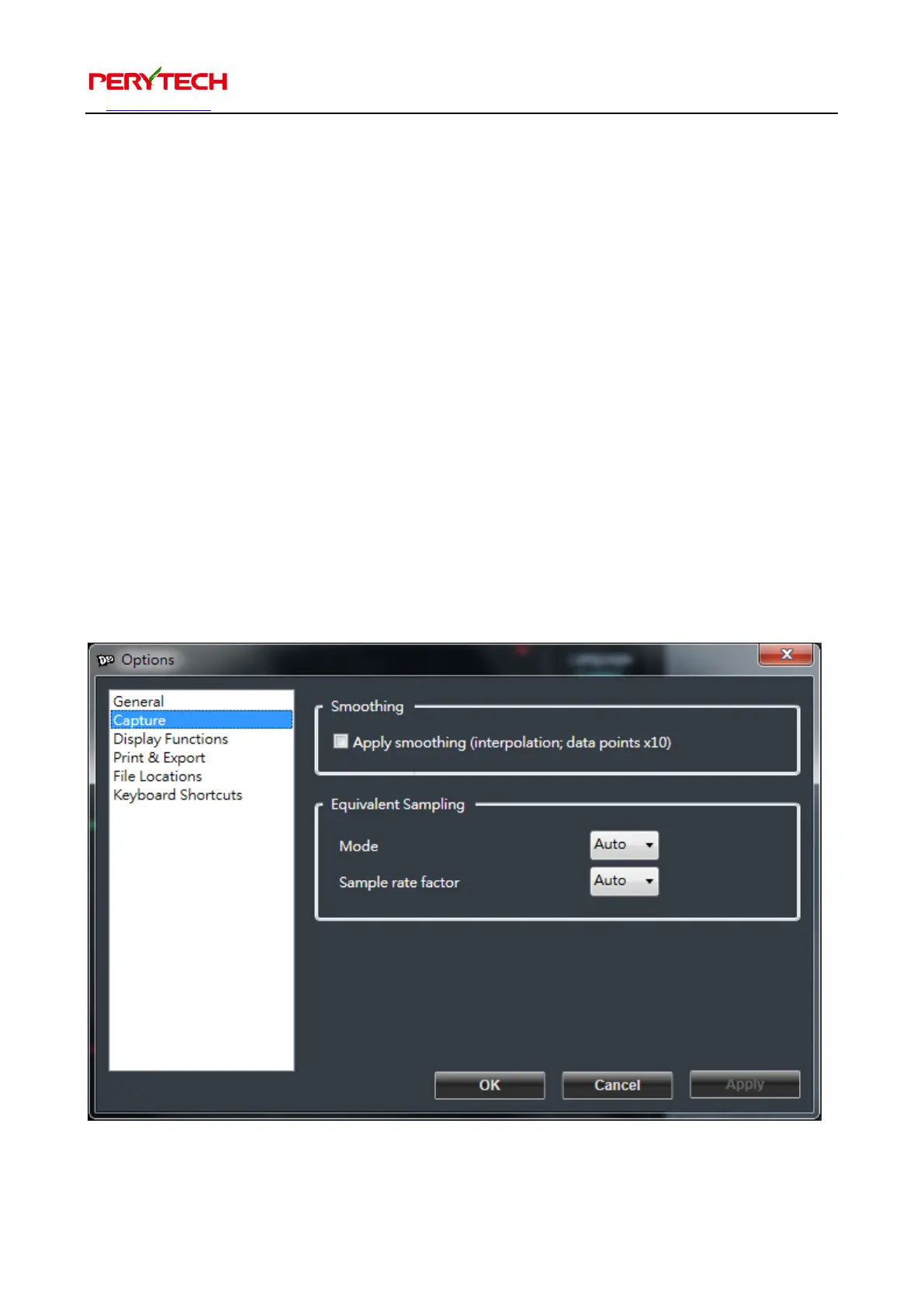
The Capture page has two selections to choose from. The top is the Smoothing
function. Turning on the Smoothing function will make the wave pattern look
smoother. The default is OFF.
5.6.7.3. Equivalent sampling function options
On the bottom of the Capture page is the Equivalent Sampling setting. This mode is
used to set the equivalent sampling function to On, Off, or Auto. The default is Auto.
Sample rate factor is used to select the wave pattern quantity analyzed by the
equivalent sampling. The higher the value the more detailed the wave pattern;
however, the time also takes longer. The maximum value is 100. The default is
automatic.


 To Next Page