沛瑞科技股份有限公司 TEL:886-2-2984-0000
www.perytech.com Peregrine Technology CO., LTD. FAX:886-2-2983-9999
5.2. Setting the trigger function
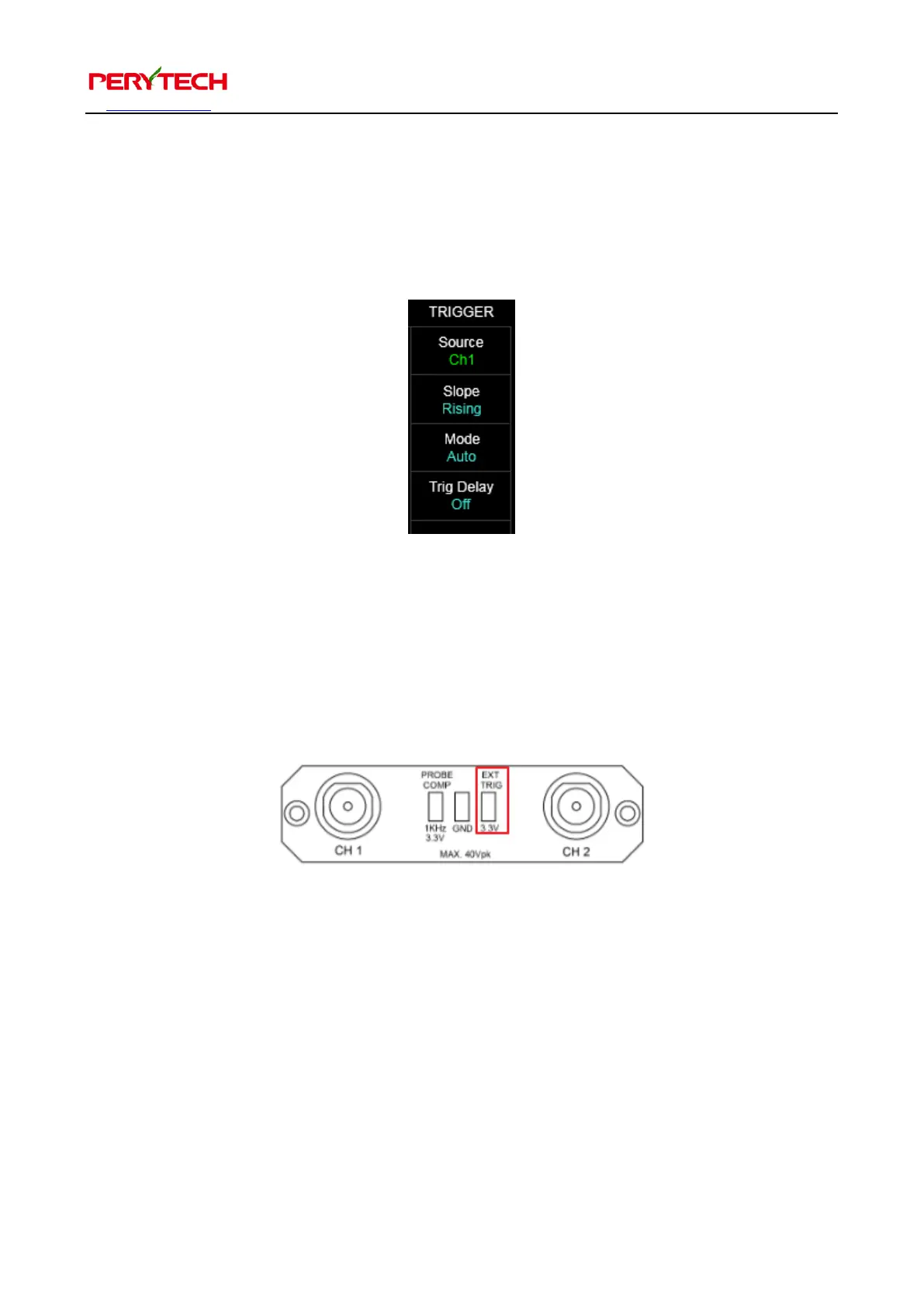
Press the TRIGGER in the main function keys and the trigger function sub function
menu will appear, as shown in the following figure. Description is below.
5.2.1. Setting the trigger source
The Source menu function is for selecting the trigger channel. Selectable channels
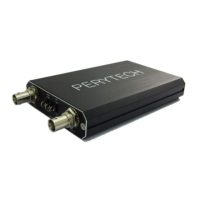
include Ch1, Ch2, and the Ext (external trigger). The input point for the external
trigger is on the front panel. The red rectangle in the below figure shows its position.
5.2.2. Setting the trigger slope
Slope menu function is used to select the trigger’s positive falling edge. Click this can
change the rising edge or falling edge trigger.


 To Next Page