48
Operation
16 Pick the GSD 320 Device from the Device drop down shown in Figure 7-51. If no
Device is shown, press the Refresh button multiple times until the Device is shown in
the drop down list. If the GSD 320 appears in the Device list, then continue with step
22 on page 50. If the GSD 320 does not appear in the device list, then continue to
step 17.
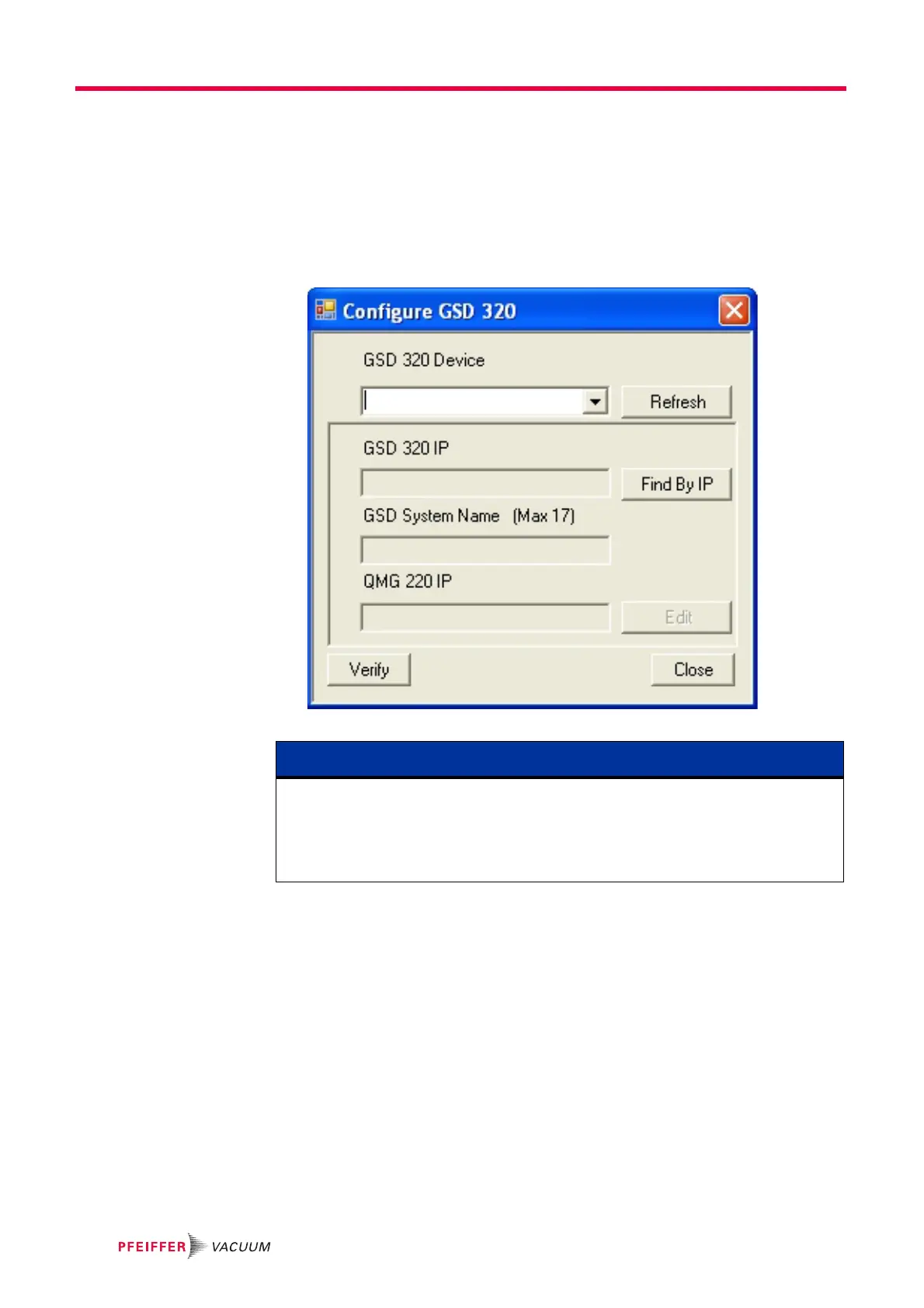
17 Press the Config button as shown in Figure 7-51 to open the Configure dialog shown
below in Figure 7-52.
Figure 7-52 GSD 320 Configure Dialog
NOTE
The Configure dialog allows for configuration of the GSD 320 IP Address, Name, and
its knowledge of the QMG 220 within the GSD 320. Since QUADERA primarily
communicates with the QMG 220, this information is important. If the system has been
preconfigured, the IP Addresses for the GSD 320 and QMG 220 will be set to the same
network (e.g. 192.168.x.x).



 To Next Page