Operation
49
18 Press the Find by IP button shown in Figure 7-52.
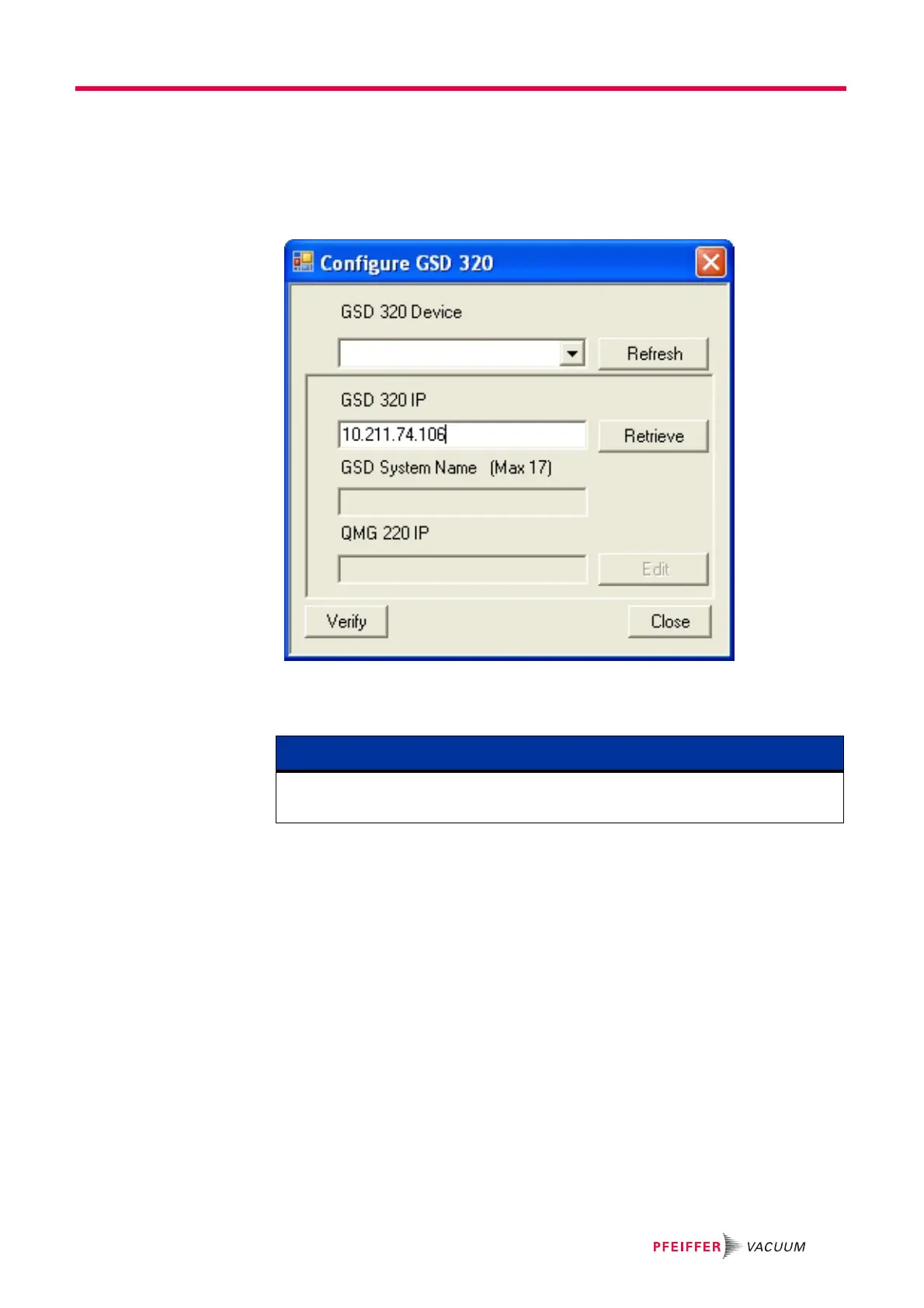
19 Manually enter the GSD 320 IP address that is appropriate for your computer or
network application.
20 Click on the Retrieve button as shown in Figure 7-53.
Figure 7-53 Configuration Dialog Showing the Retrieve Button
21 After clicking on the Retrieve button Figure 7-54 should appear with the values
appropriate for your system.
NOTE
If you were required to complete steps 17 through 21, then skip step 22 and continue
on to step 23.




 To Next Page