13
4.3. Abbreviated Overview, Operating
Selecting Parameters
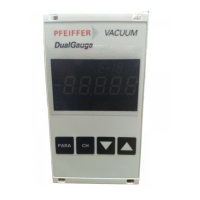
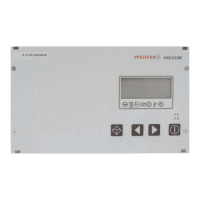
➡ Selecting parameters with push-button (backwards)
or (forwards). Keeping the key depressed enables
rapid scrolling.
Setting Parameters
➡ Select Parameter.
➡ Depress key-button and simultaneously till an
arrow (--->) will appear in the second line from the top.
➡ With key-button reduce the value and with key-
button increase the value.
➡ Depress key-button and simultaneously till the
arrow (--->) disappears. The set values are now taken
over.
Error acknowledgement
➡ Depress key-button .
Switching ON and OFF the pumping Station
➡ Depress key-button .
4.4. Operating Examples
Switching on the electronic drive unit
➡ Make connection to the mains.
Switching on the pumping station
➡ Select «
779944 :: PPaarraamm.. SSeett
».
➡ Select «1».
➡ Check set values [
PP::77xxxx
] and setting commands [
PP::00xxxx
],
change if necessary.
➡ Switch on the pumping station with key .
Switching off the pump
➡ Bridge “REMOTE”, remove Pin 1/3.
➡ Select «
002233 :: MMoottoorr TTMMPP
».
➡ Select «
OOFFFF
», or «
OONN
».
➡ Save adjustment.
Switching off the pumping station
➡ Depress key-button on the front panel.
Details see chapter 6 “Operation”.


 To Next Page
 Loading...