58
BG 5195 BEN / A (2011-05) TPG261.oi
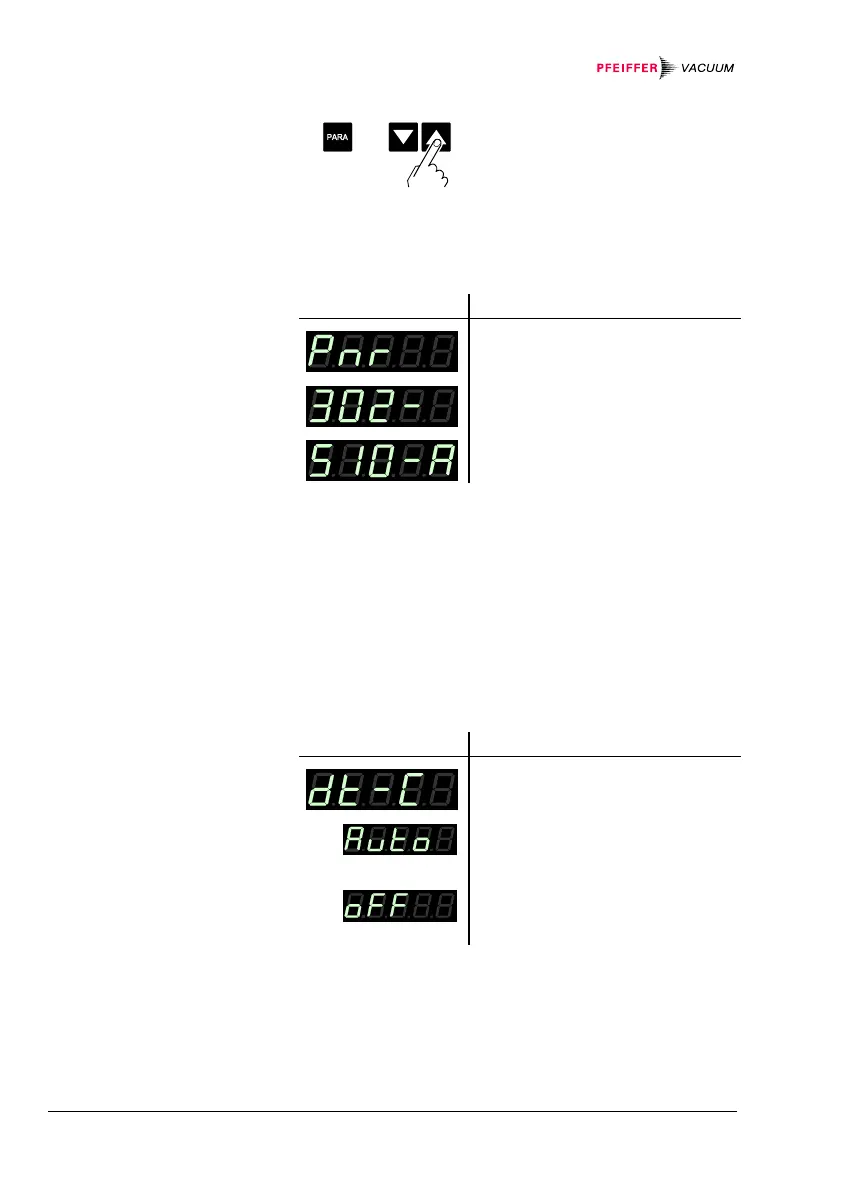
Ö Start test program.
The firmware version (program version) is displayed.
Version
Ö The two parts of the firmware
number are displayed alter-
nately.
│
The last character indicates the modifi-
cation index (-, A … Z). Please mention
this index when contacting
Pfeiffer Vacuum in the event of a prob-
lem.
Behavior of the system control (watchdog) in the event
of an error.
Setting
Ö The system automatically ac-
knowledges error messages of
the watchdog after 2 s.
Ö Error messages of the watch-
dog have to be acknowledged
by the operator.
Starting the test
program
Firmware version
Watchdog control


 To Next Page