80
80
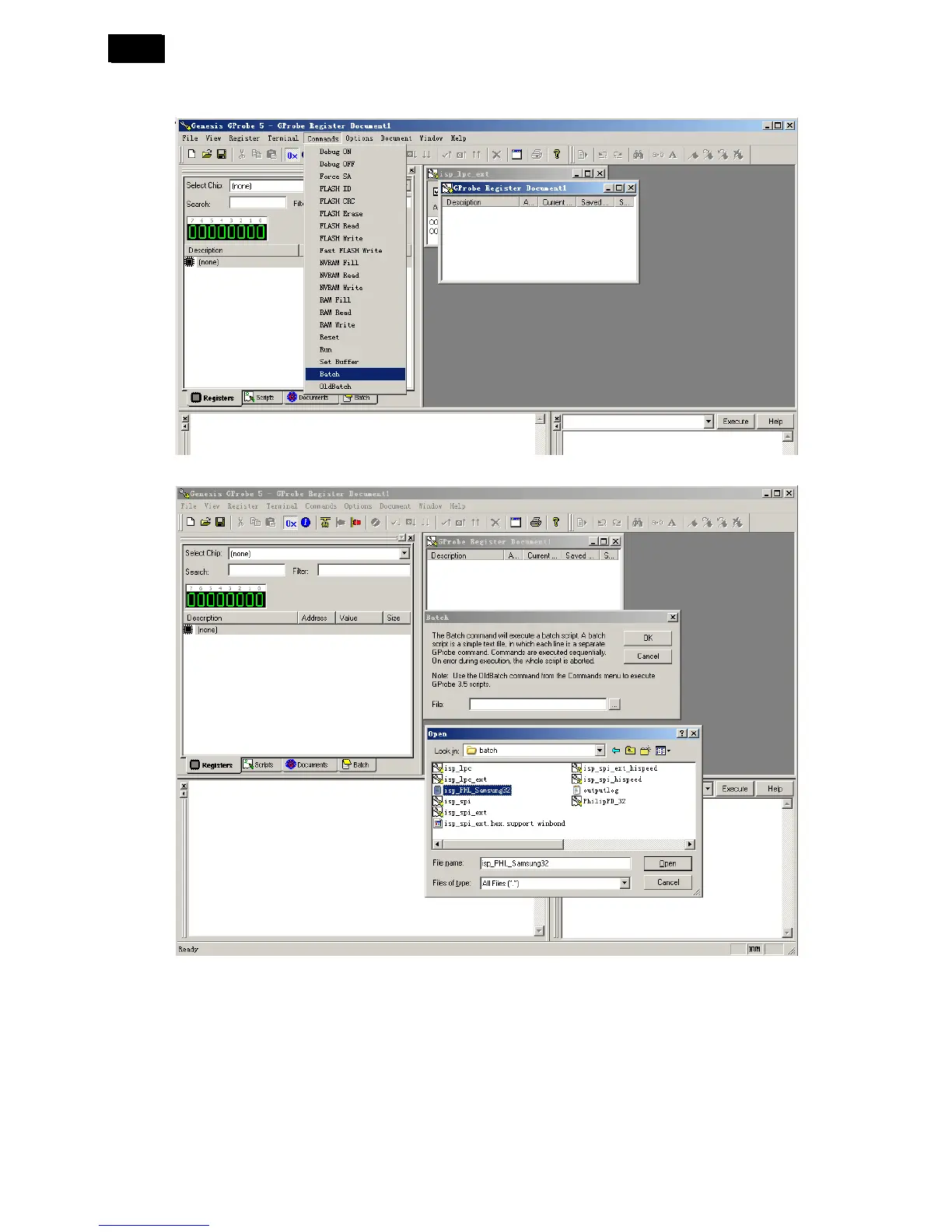
4. Loading the F/W
Select “Commands” → “Batch” → Select “ISP_phl_samsung32.txt”
AC off, and then AC on when the software burns successfully, the software updating is OK.
5. Check the software after upgrade
1) Connect the monitor to the PC or Chroma.
2) Press “- - + + - + - +” → “SET” → “MENU” in sequence on the remote control, and choose the “F” to enter
the factory mode.
6. After updated, re-programming the Serial number for 32"&42" monitor.
7. Perform factory reset.












 To Next Page