User Manual BDL5545E
21
3.3. CONNECTING EXTERNAL EQUIPMENT (DVD/VCR/VCD)
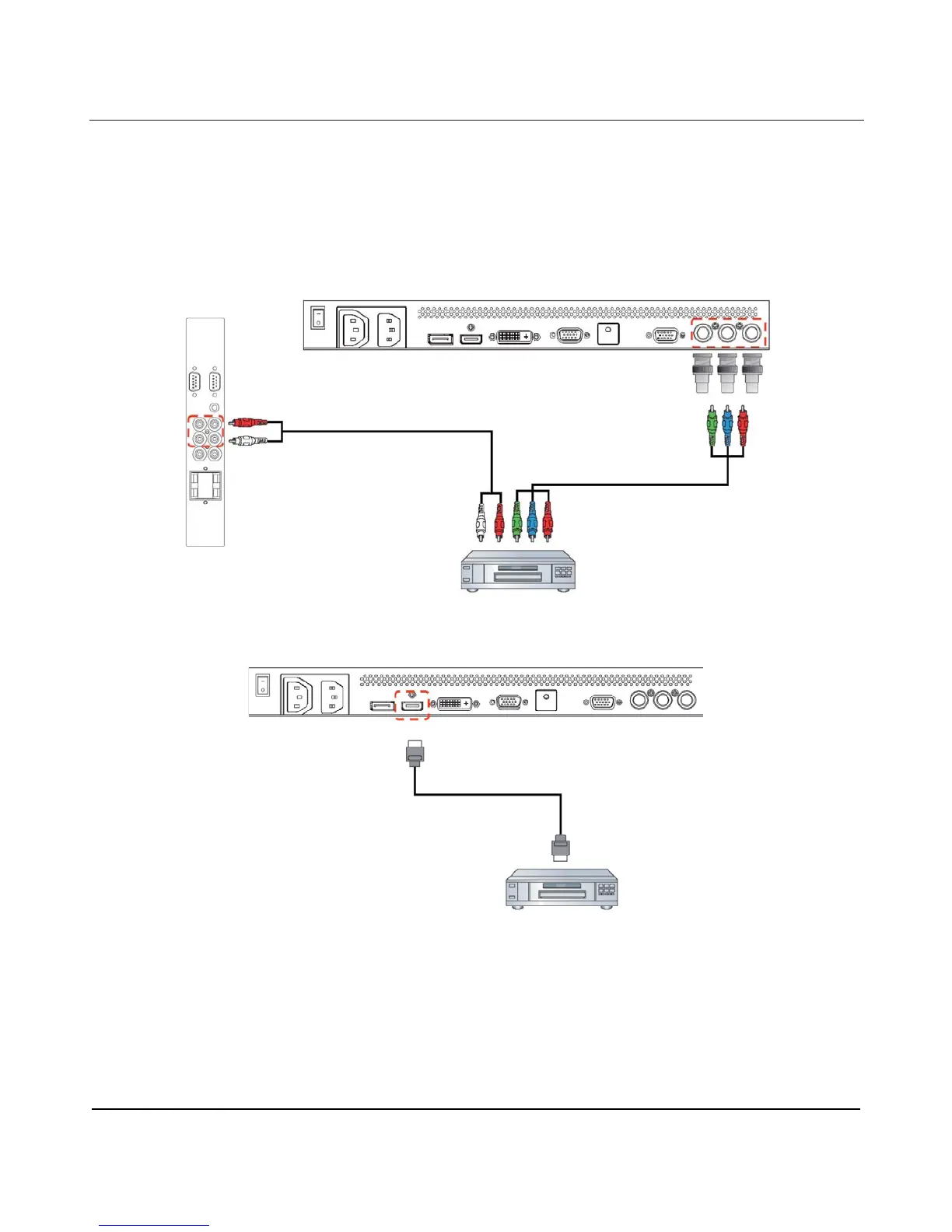
3.3.1. USING COMPONENT VIDEO INPUT
1. Connect the green-colored (labeled as "Y") jack of your device to the green-colored "Y" jack of the display.
2. Connect the blue-colored (labeled as "Pb") jack of your device to the blue-colored "Pb" jack of the display.
3. Connect the red-colored (labeled as "Pr") jack of your device to the red-colored "Pr" jack of the display.
4. Connect the red (R) and white (L) audio jacks of your device to the AUDIO IN (AUDIO2 or AUDIO3) jacks of
the display.
3.3.2. USING HDMI INPUT
Connect the HDMI connector of your external device to the HDMI input of the display.
DVD/VCR/VCD
DVD/VCR/VCD












 To Next Page