User Manual BDL5545E
38
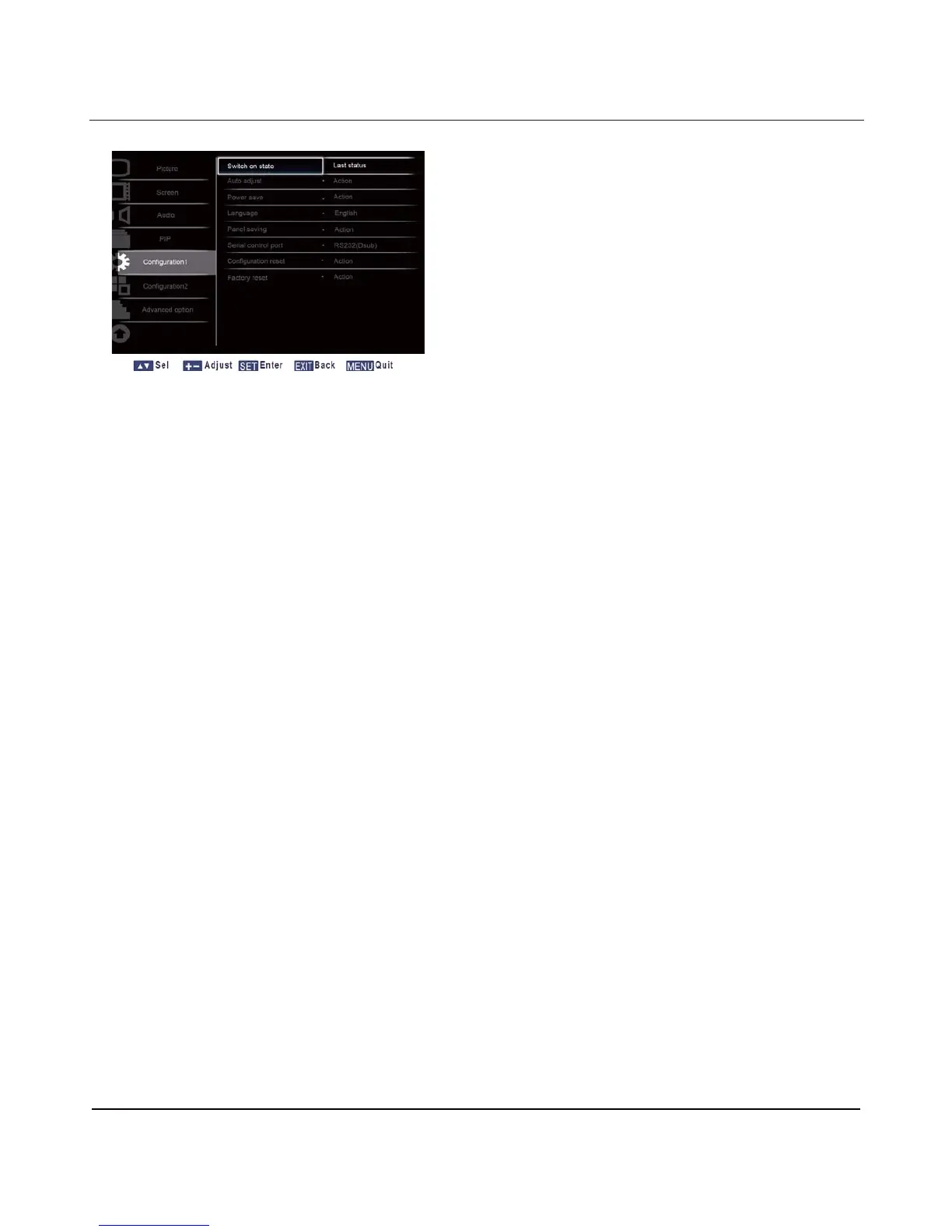
4.2.5. CONFIGURATION 1 MENU
Switch on state
Set the
display
to turn on or remain off when the power cord is connected to a
wall
outle
t
.
Press the
SET/PLUS button to open the submenu, and then press the UP/DOWN button to toggle between
Power off - Select to power off the
display
.
Forced on - Select to power on the
display
.
Last status – Select to turn the display on or off depending on the last power status (i.e no change to
the status).
Auto adjust
Note: For VGA input only.
Use this function to let the
display
automatically optimize the display of VGA input image.
Press the SET/PLUS button to open the submenu, and then press the SET button to adjust.
Power save
Set the
display
to reduce the power automatically.
Press the SET/PLUS button to open the submenu, and then press the UP/DOWN button to toggle
between
PC - Select ON to make the monitor enter DPMS mode
(Display
Power Management
Signaling)
when no
signal can be detected from the DisplayPort
, HDMI, DVI-D, and VGA inputs after three successive cycles.
Use the PLUS/MINUS button to make selection.
VIDEO - Select ON to make the
display
enter power saving mode when no signal is detected from the
Component input after three successive cycles. Use the PLUS/MINUS button to make selection.
Language
Select the language for the OSD menu.
Press the SET/PLUS button to open the submenu, and then press the UP/DOWN button to toggle
between












 To Next Page