User Manual BDL5545E
41
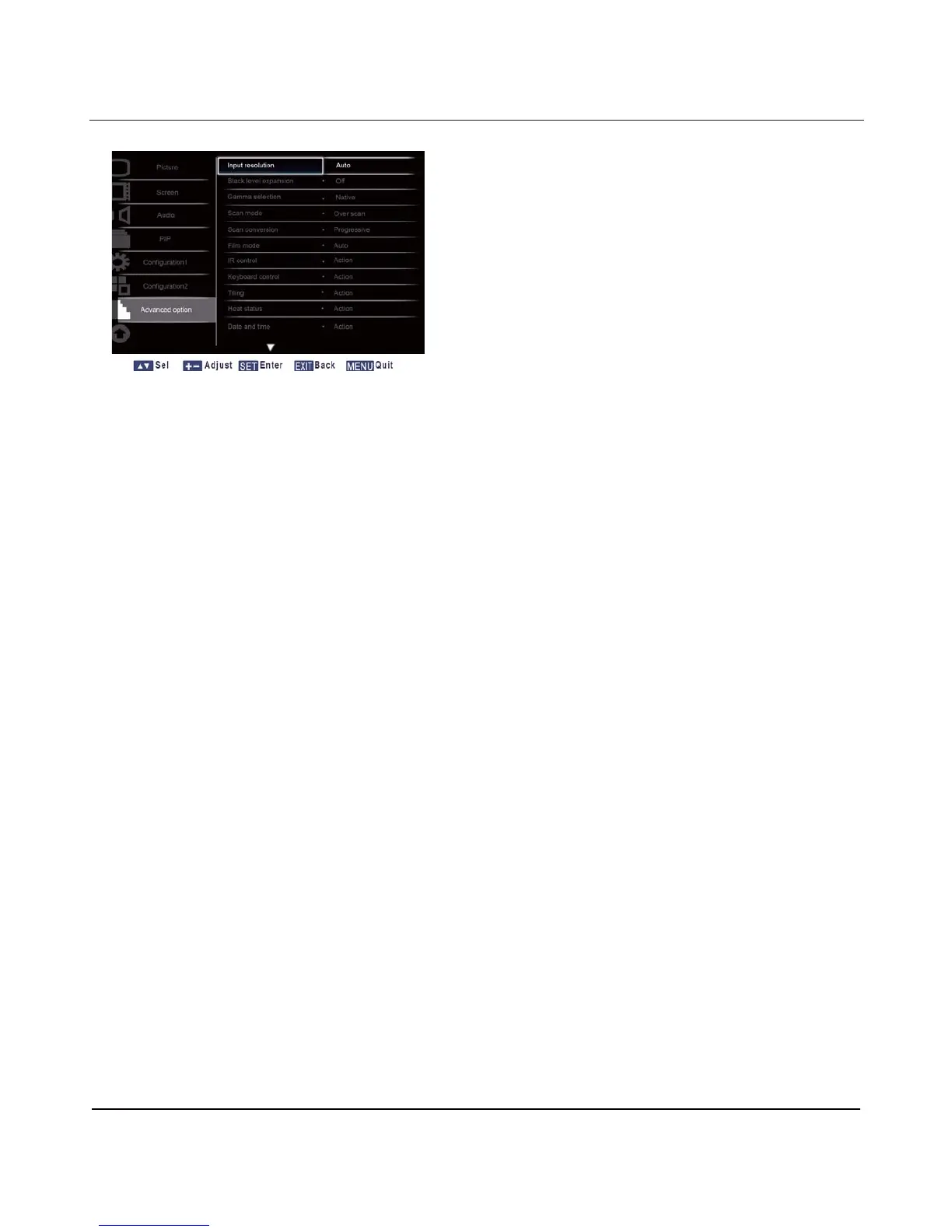
4.2.7. ADVANCED OPTION MENU
Input resolution
Note: For VGA input only.
Set the resolution of the VGA input. This is only required when the display is unable to detect the VGA
input resolution correctly.
Press the SET/PLUS button to open the submenu, and then press the UP/DOWN button to toggle
between
1440x900 and 1600x900
Auto: Determines the resolution automatically.
The setting you select becomes effective after you have powered off your display, and then powered it
back on.
Black level expansion
Note: For Video mode inputs only.
This
f
e
atu
r
e
offers deeper blacks
f
o
r
an even better image
quality
Select a suitable black level expansion
setting to reveal more details in the dark parts of an image.
Press the SET/PLUS button to open the submenu, and then press the UP/DOWN button to toggle
between
x Off x Low
x Medium x High
Gamma selection
Gamma is what controls the
o
v
era
ll
brightness of an
image. Images
which are not corrected properly can
appear too white or too dark, so controlling the
gamma
properly can have a huge
influence
on the overall
picture
quality
of your display.
Select
a display gamma value to best suit the image and optimize image brightness and contrast.
Press the SET/PLUS button to open the submenu, and then press the UP/DOWN button to toggle between
x Native x 2.2
x 2.4 x S gamma












 To Next Page