User Manual BDL5545E
36
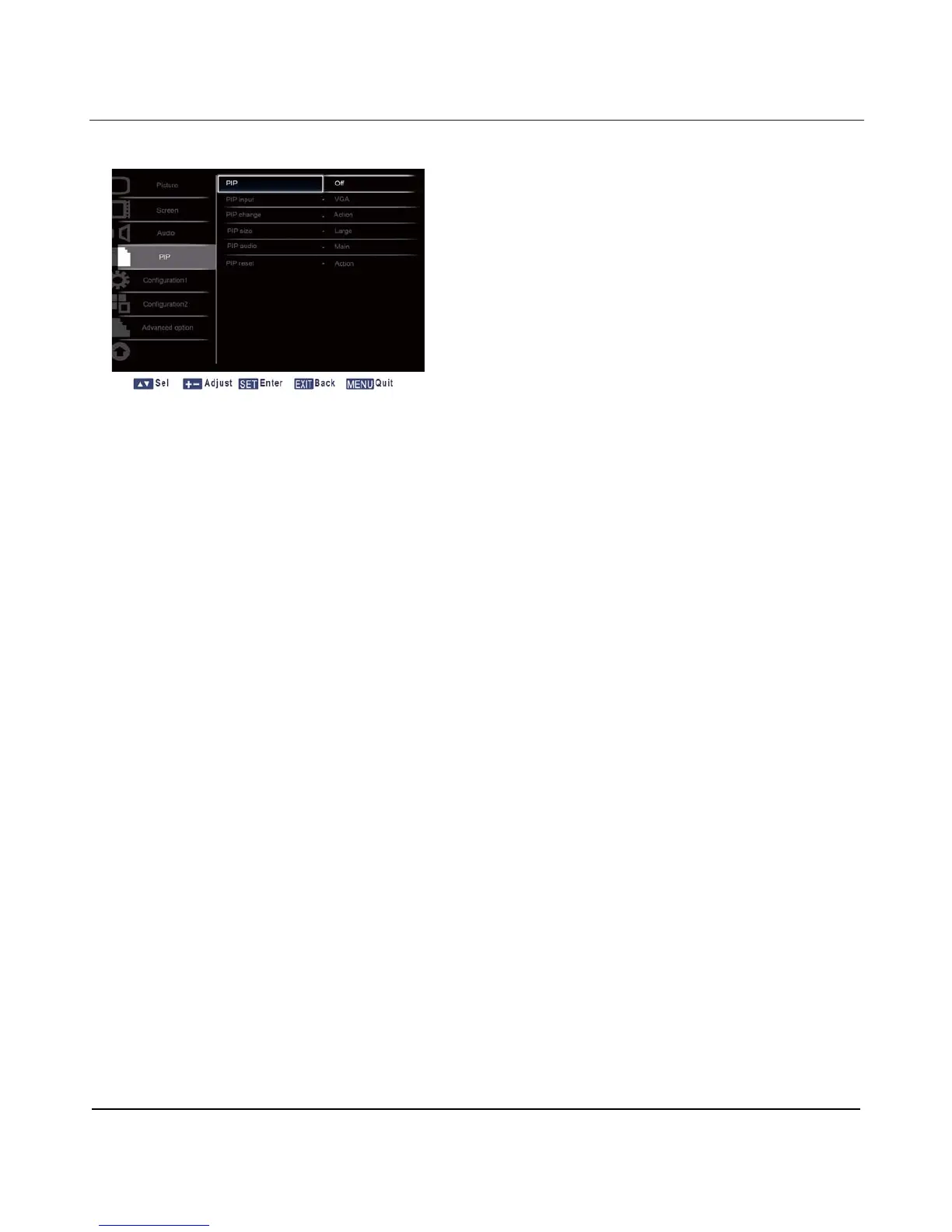
4.2.4. PIP MENU
PIP
Turn PIP (Picture-in-Picture) mode On/Off.
Press the SET/PLUS button to open the submenu, and then press the UP/DOWN button to toggle
between
x On x Off
PIP input
Select the input signal for the sub-picture.
Press the SET/PLUS button to open the submenu, and then press the UP/DOWN button to make
selection.
PIP change
Enlarges
the smaller picture to become the main picture, and vice versa.
Press the SET/PLUS button to open the submenu, and then press the UP/DOWN button to make
selection.
PIP size
Select the size of the sub picture in the PIP (Picture-in-Picture) mode.
Press the SET/PLUS button to open the submenu, and then press the UP/DOWN button to toggle
between
x Small x Medium
x Large
PIP audio
Select the audio source in the PIP (Picture-in-Picture) mode.
Press the SET/PLUS button to open the submenu, and then press the UP/DOWN button to toggle
between
x MAIN - Select audio from the main picture
x Sub - Select audio from the sub picture.












 To Next Page