17
3 Close the battery compartment.
Turn on
Caution
Risk of road accidents! Never watch video or •
adjust settings while you drive.
1 Press to turn on the unit.
The screen below displays. »
The available OSD (On-Screen »
Display) languages display.
5 Push the front side of the panel backward
to the main unit until a “click” is heard.
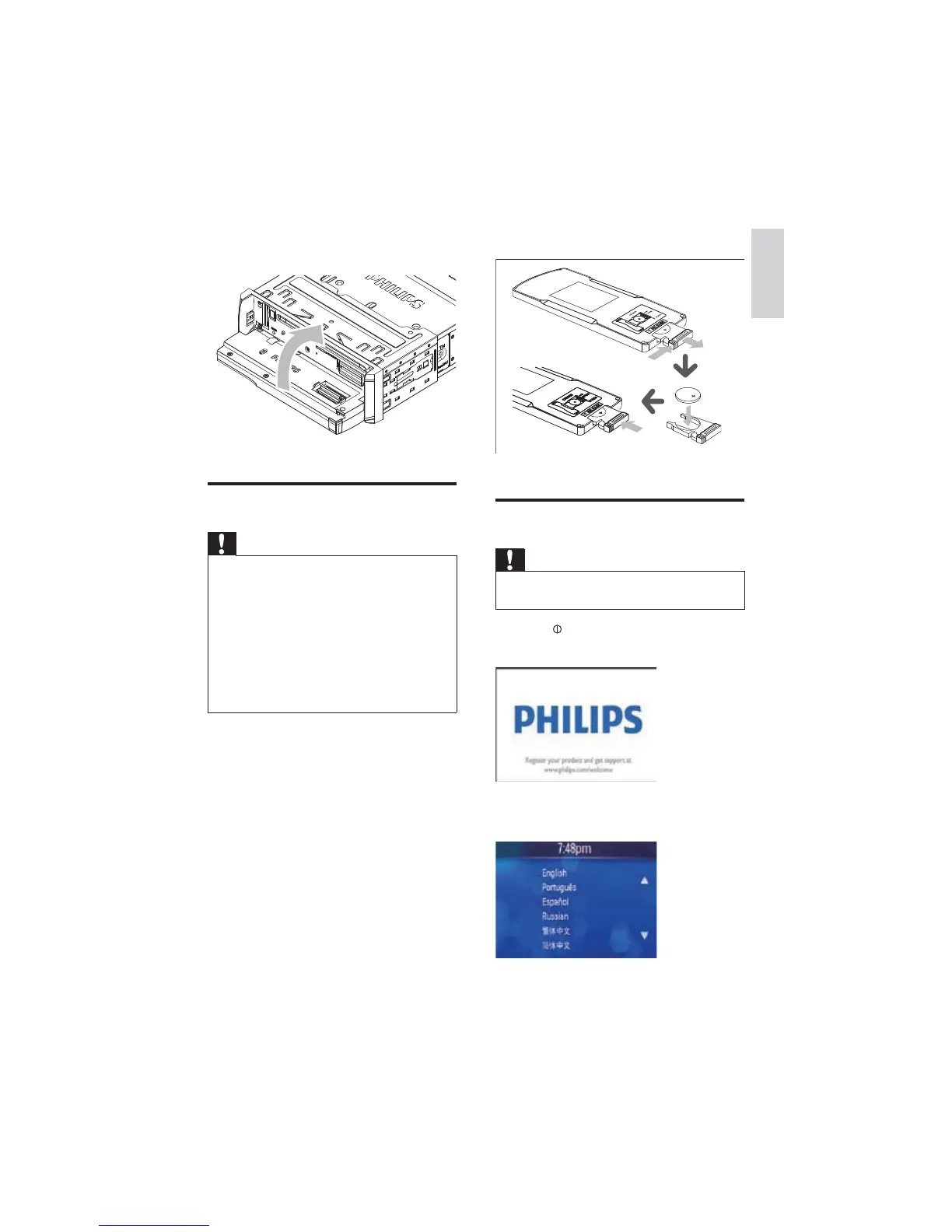
Install remote control battery
Caution
Risk of explosion! Keep batteries away from •
heat, sunshine or fire. Never discard batteries
in fire.
Risk of decreased battery life! Never mix
•
different brands or types of batteries.
Risk of product damage! When the remote •
control is not used for long periods, remove
the batteries.
Perchlorate Material - special handling may
•
apply. See www.dtsc.ca.gov/hazardouswaste/
perchlorate.
For first-time use:
1 Remove the protective tab to activate the
remote control battery.
To replace the remote control battery:
1 Open the battery compartment.
2 Insert one CR2025 battery with correct
polarity (+/-) as indicated.
English
EN



 To Next Page