21
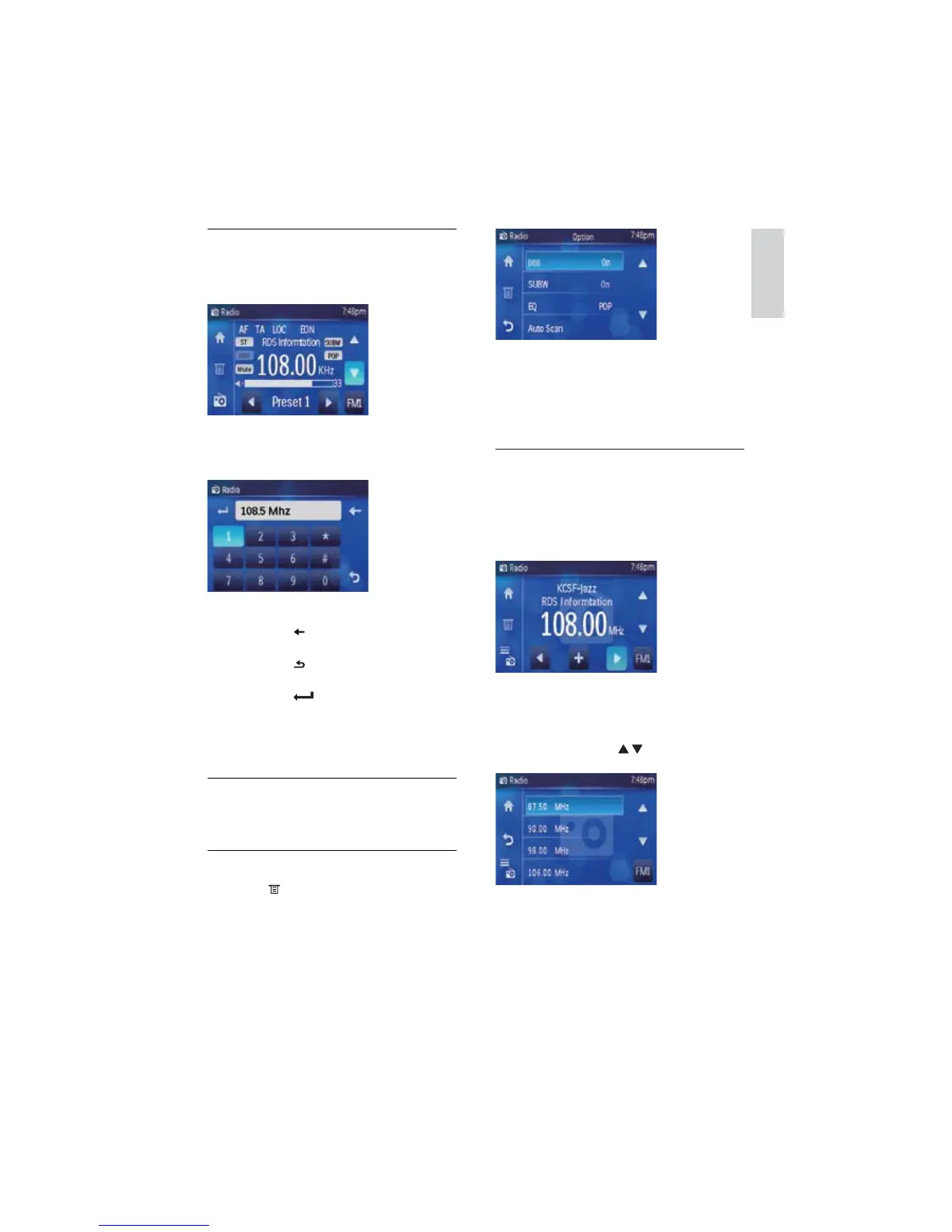
2 Touch [Auto Scan].
Auto search starts. The six strongest »
stations of the selected band are saved
in preset channels 1-6 automatically.
Store stations manually
1 Tune to the preferred station.
If the station is not in the preset list, »
+ displays on the lower line of the
screen.
2 Touch the +.
The preset station list displays. »
To navigate through all the preset »
stations, touch
/ .
3 Touch one of the preset stations.
The station is preset. »
Tune by frequency
1 Touch [FM] at the right lower corner of
the screen repeatedly to select band.
2 Touch middle of the radio menu.
The manual tune menu displays. »
3 Touch the numbers to enter frequency.
Touch •
to clear the last entered
number.
Touch •
to go back to the previous
menu.
Touch •
to confirm the entered
frequency.
The radio station on the frequency is •
broadcast.
Store radio stations in memory
You can store up to 6 stations in each band.
Store stations automatically
1 Touch to access radio option menu.
English
EN



 To Next Page