6
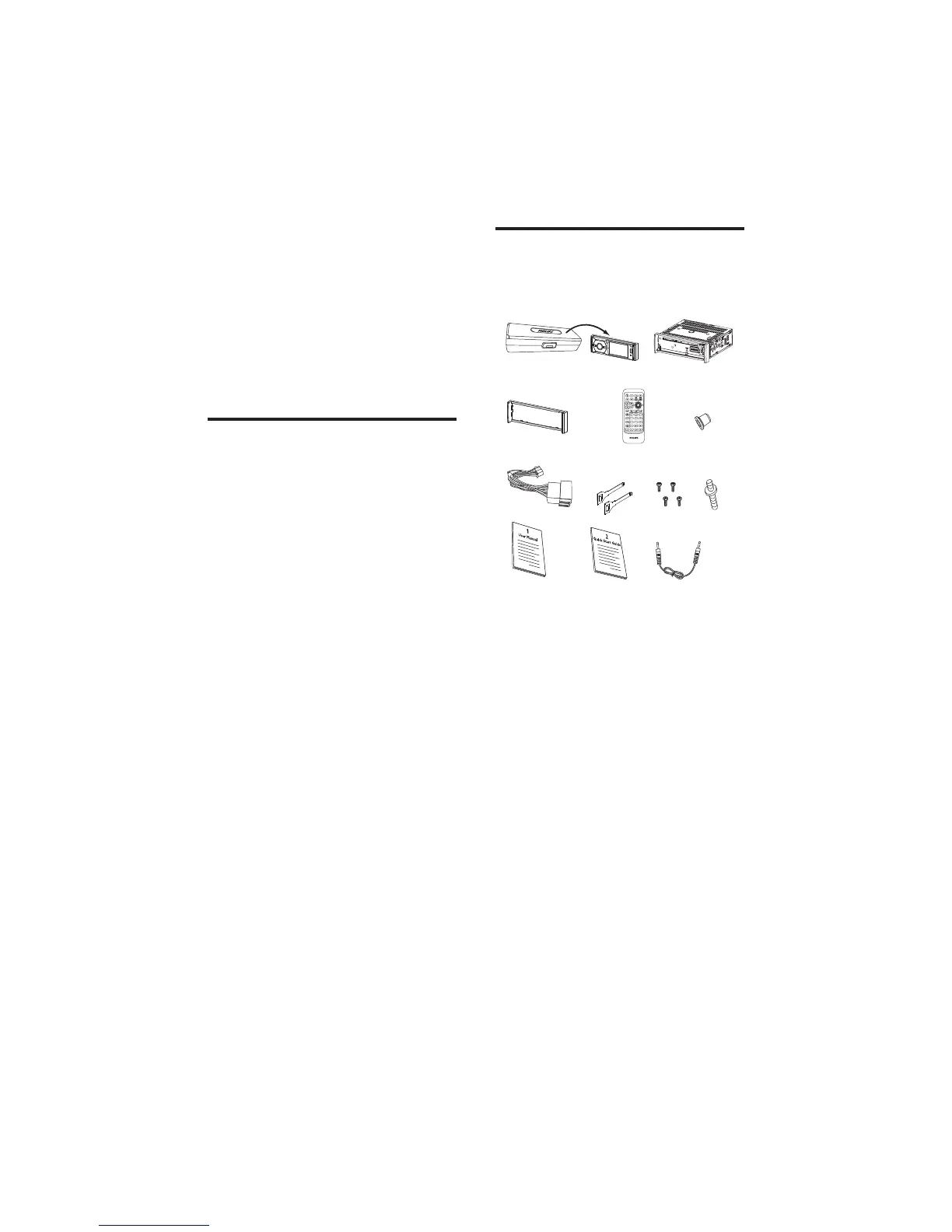
What’s in the box
Check and identify the contents of your package:
a Front panel carry case (includes front
panel)
b Main unit
c Trim plate
d Remote control
e Rubber cushion
f Standard connector
g Removal keys x 2 pcs
h Screws M5x8 mm x 4 pcs
i None standard screw x 1 pc
j User manual
k Quick start guide
l MP3-link cable
a
c
g
kl
hi
j
de
f
b
2 Your car audio
system
Congratulations on your purchase, and
welcome to Philips! To fully benefit from the
support that Philips offers, register your product
at www.philips.com/welcome.
Introduction
With the car entertainment system, you and
your passengers can enjoy:
Audio/video/JPEG pictures from•
DVD, VCD or CD•
USB devices•
SD/SDHC/MMC cards •
External devices•
FM or AM (MW) radio•
Audio from Bluetooth-enabled devices•
You can also make/receive phone calls with
Bluetooth-enabled devices.
EN



 To Next Page