33
Adjust video settings
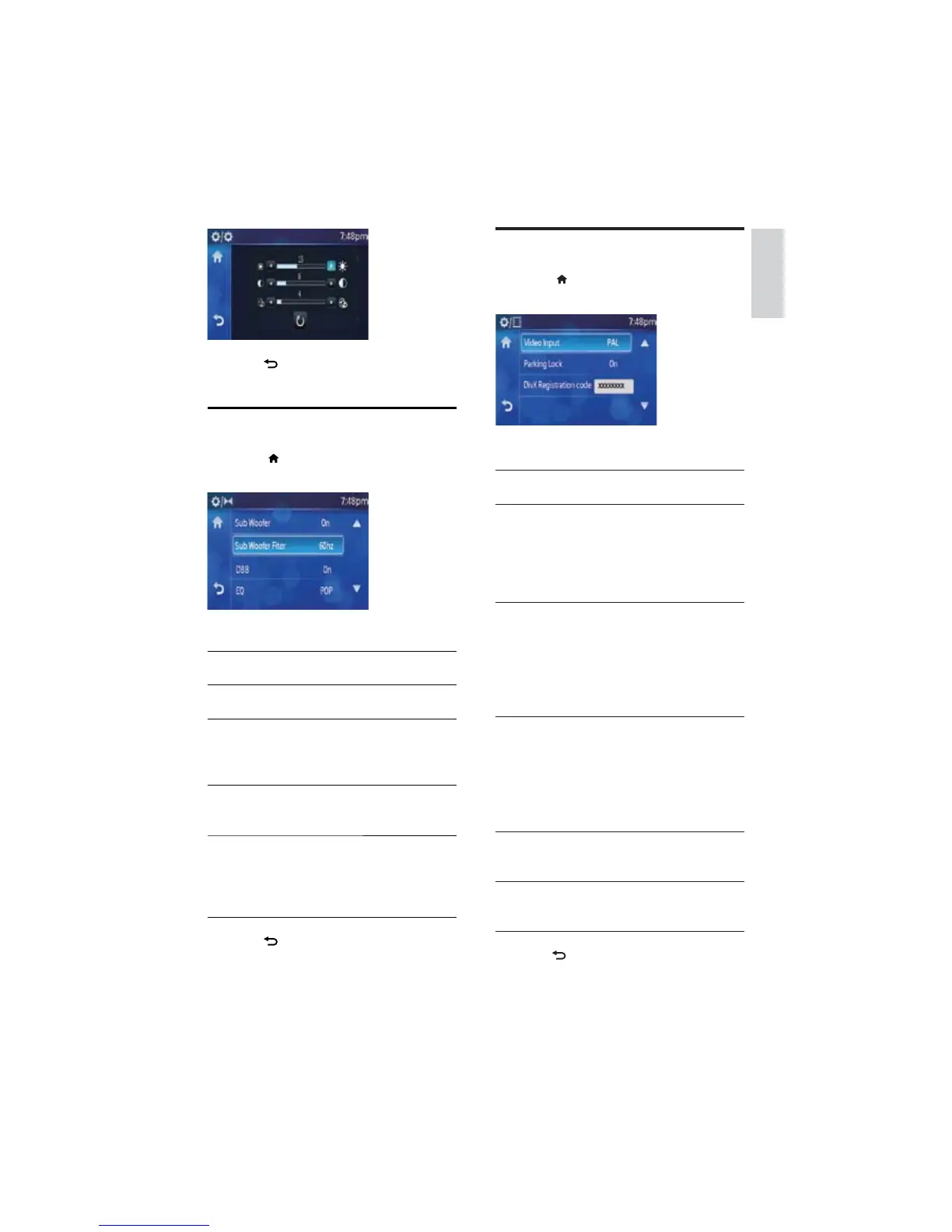
1 Touch >[Setting]>[Video] to display
video setting menu.
2 Touch an option repeatedly to select:
Video
settings
Options Description
[Video
Input]
[Auto] The correct format
is set automatically.
Select this option
if you are not
sure which format
should be selected.
[NTSC] Used in the United
States, Canada,
Japan, Mexico, the
Philippines, South
Korea, Taiwan,
and some other
countries.
[PAL] Used in China,
India, Singapore,
the western
European countries
(except France),
Australia, and some
other countries.
[Parking
Lock]
[On]/[Off] Enable/disable
video view when
you drive.
[Divx
Registration
code]
View code for
DivX registration.
3 Press to exit.
4 Press to exit.
Adjust sound settings
1 Touch >[Setting]>[Sound] to display
sound setting menu.
2 Touch an option repeatedly to select:
Sound
settings
Options Description
[Sub
Woofer]
[On]/[Off] The subwoofer is
on/off.
[Sub
Woofer
Filter]
[60HZ]/
[80 Hz]/
[100HZ]/
[120 Hz]
Select subwoofer
filter criteria.
[DBB] [On]/[Off]] The Dynamic
Bass Boost (DBB)
function is on/off.
[EQ] Select and adjust
equalizer settings.
Please see details
under “Select
preset equalizer”.
3 Press to exit.
English
EN



 To Next Page