36
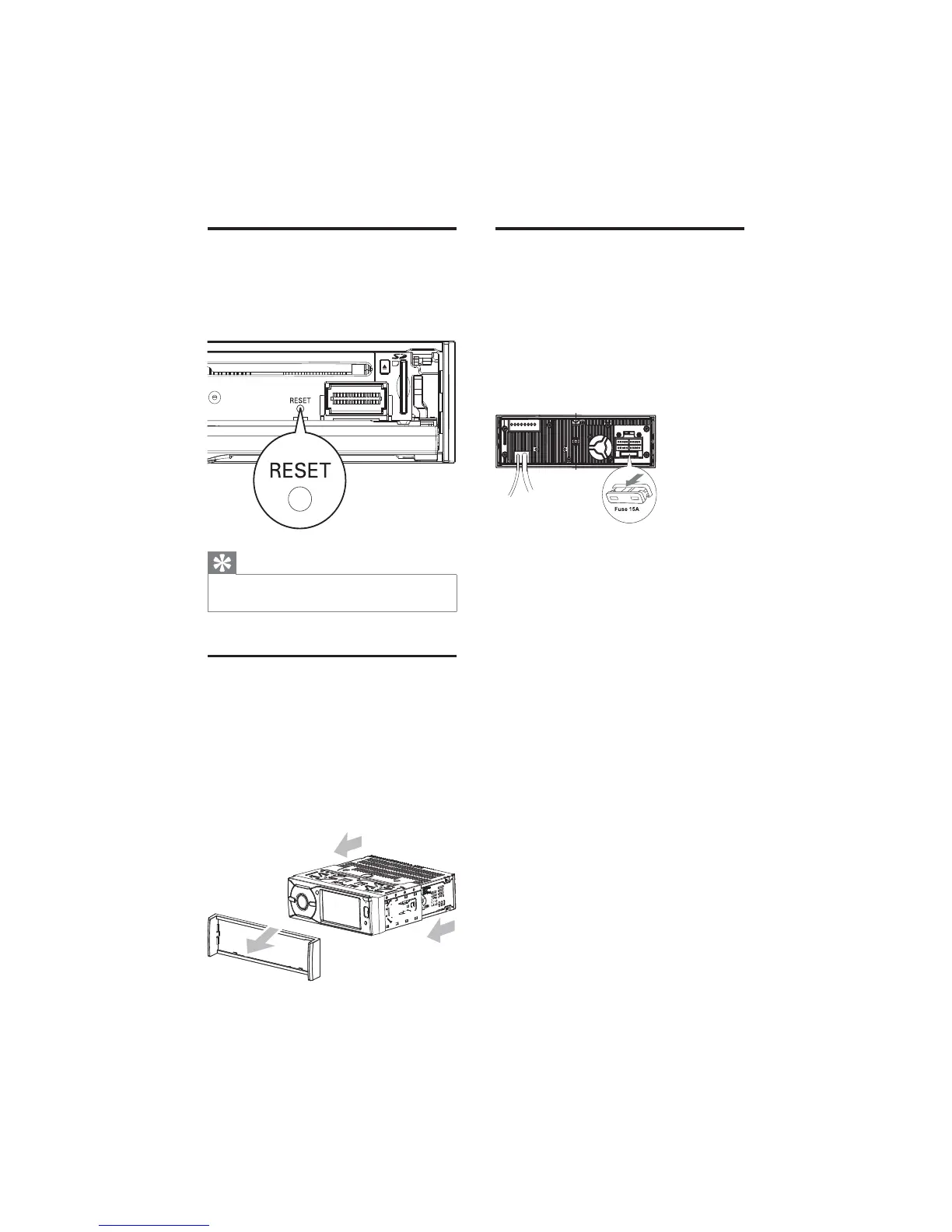
Replace fuse
If there is no power, the fuse may be damaged
and need to be replaced.
1 Take out the unit from dashboard.
2 Check the electric connection.
3 Buy a fuse that matches the voltage of the
damaged fuse (15A)
4 Replace the fuse.
If the fuse gets damaged immediately after it
has been replaced, there may be an internal
malfunction. In such case, consult your Philips
dealer.
Reset
When the unit hangs up, you can reset it.
1 Press RESET with a ball-point pen or
similar tool.
Tip
When the unit is reset, all the settings restore •
to the factory settings.
Remove the unit
To repair, replace fuse, or replace the unit
with another car audio, remove it from the
dashboard.
1 Take off the trim plate.
2 Screw off the four (4) screws on the left/
right side of the unit.
3 Pull the unit out from the dashboard.
EN



 To Next Page