34
3 Press to exit.
Adjust language settings
1 Touch >[Setting]>[Language] to display
language setting menu.
2 Touch an option repeatedly to select:
Language
settings
Options Description
[OSD
Language]
[English]/
[Русский]
Select on-screen-
display language.
[DVD
Audio]
[English]/
[Русский]
Select DVD audio
language. Options
available depend on
DVD disc.
[DVD
subtitle]
[English]/
[Русский]
Select DVD subtitle
language. Options
available depend on
DVD disc.
[Off] Turn off subtitle
language display.
[Disc
menu]
[English]/
[Русский]
Select DVD menu
language. Options
available are depends
on DVD disc.
3 Press to exit.
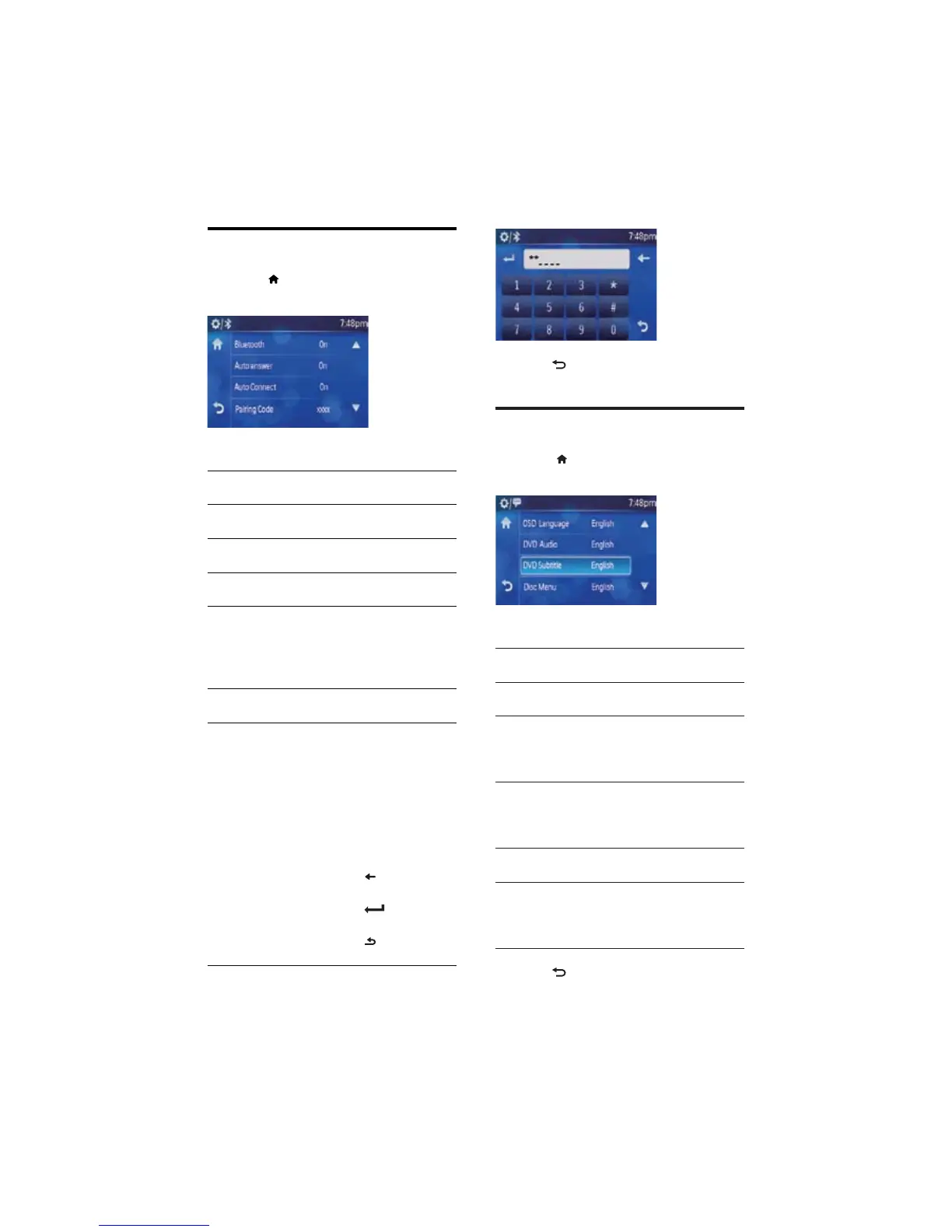
Adjust Bluetooth settings
1 Touch >[Setting]>[BT] to display
Bluetooth setting menu.
2 Touch an option repeatedly to select:
Bluetooth
settings
Options Description
[BT] [On]/
[Off]
The Bluetooth function
is on/off.
[Auto
Answer]
[On] Answer paired phone
call automatically.
[Off] Answer phone call
manually.
[Auto
Connect]
[On] If the pre-paired device
is within the effective
range, the unit re-
connects to pre-paired
device automatically.
[Off] Need to re-connect
manually.
[Pairing
code]
View code for pairing
the unit with other
Bluetooth devices.
To enter new code:
Touch on this option to
display the code enter
screen as below.
Touch the numbers to
enter new code.
Touch
to clear the
last entered number.
Touch
to confirm
the entered frequency.
Touch
to go back to
the previous menu.
EN



 To Next Page