EasyManua.ls Logo

Philips CED370 - 8 Adjust Settings; Adjust General System Settings

Philips CED370
40 pages
Print Icon
To Next Page IconTo Next Page
To Previous Page IconTo Previous Page
Loading...
32
System
settings
Options Description
[Beep] [On] Turn on the
beep sound.
Each time you
press a button,
the unit beeps.
[Off] Turn off the
beep sound.
[Blackout] [Off] Never turn on
the screen saver.
[10s]/[20s] Turn on the
screen saver
automatically
10/20 seconds
after last
operation.
[Dimmer
mode]
[Off] Never turn on
the screen dim.
[On] Turn on the
screen dim
automatically
5 seconds after
last operation.
[Key color] [Red]/
[Blue]
Button backlight
turns red/blue.
[Background
image]
[Blue]/
[Black]
Change the
background
color to blue/
black.
[Display
adjust]
brightness/
contrast/
saturation
Touch the
option to
display the
screen below,
then adjust
each setting by
touching on
/ .
[Screen
calibration]
Calibrate the
touch screen.
[Factory
reset]
Reset all the
settings to
factory settings.
[TFT
version]
Version of the
display screen.
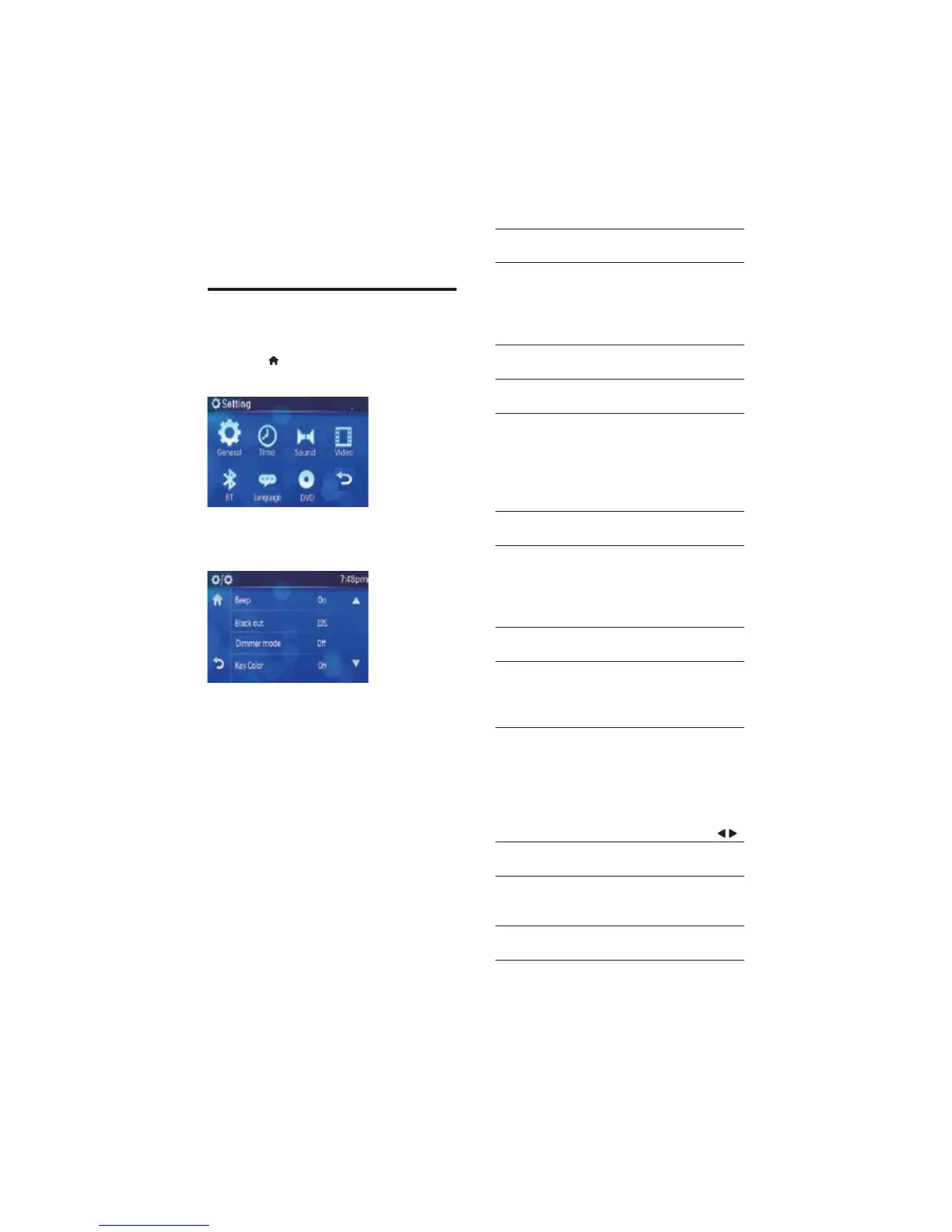
8 Adjust settings
Adjust general system
settings
1 Touch >[Setting] to display setting
menu.
2 Touch [General]
The general settings menu is displayed. »
3 Touch an option repeatedly to select:
EN

Other manuals for Philips CED370

Related product manuals