18
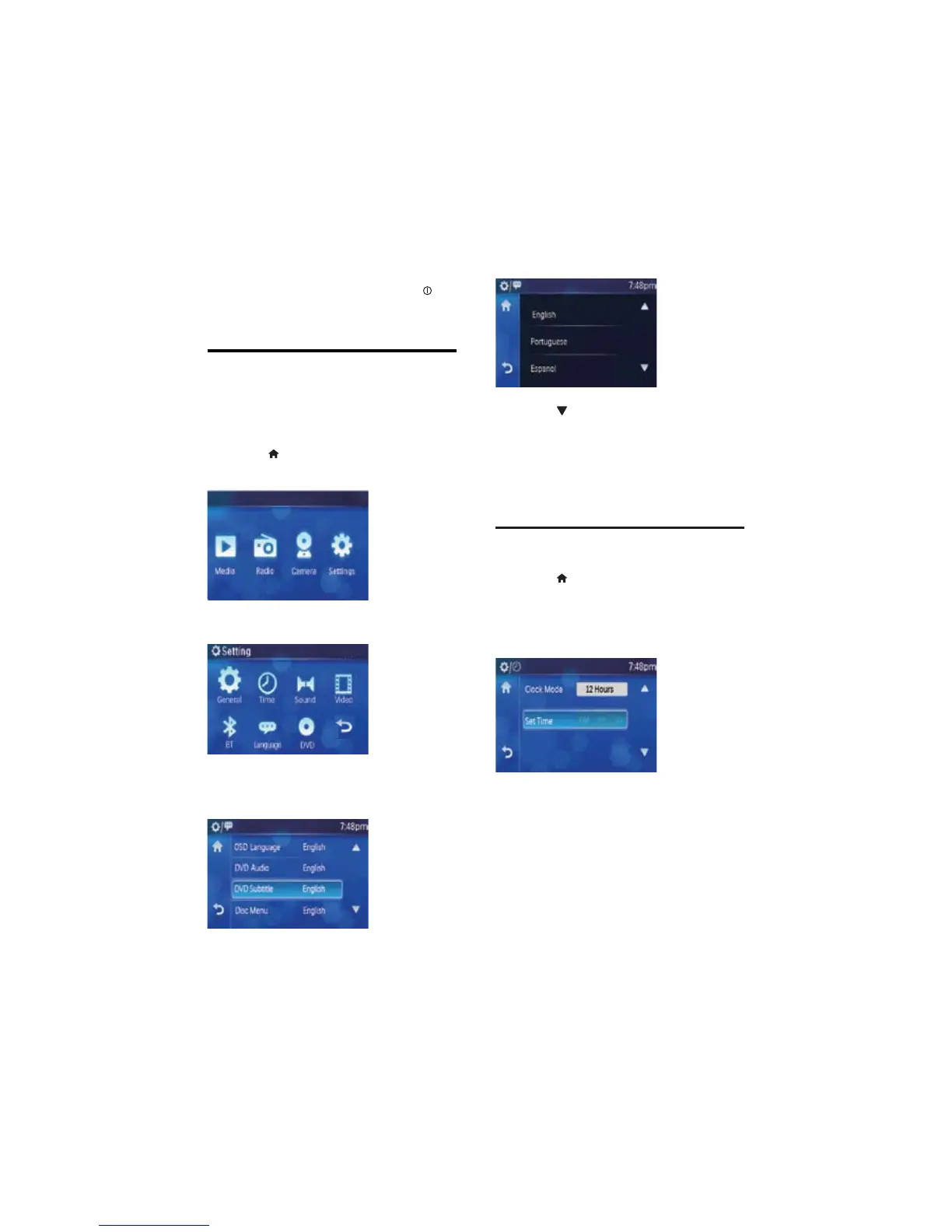
4 Touch [OSD Language].
Available languages display. »
5 Touch to navigate all the available
languages.
6 Touch and select the preferred language.
The display language changed to the »
selected language.
Set clock
1 Touch to display main menu.
2 Touch [Setting]to display setting menu.
3 Touch [Time].
The time setting menu displays. »
4 Touch [Clock Mode] to switch between
clock mode options:
• [12 Hours]
• [24 Hours]
2 Touch a language to select.
The OSD language changes to the »
selected language immediately.
To turn off the unit, press and hold •
for
more than 2 seconds.
Select display language
English is the default language for on-screen
display. You can change the on-screen display
language anytime.
1 Touch on the touch panel to display
main menu.
2 Touch [Setting]to display setting menu.
3 Touch [Language].
The screen below displays. »
EN



 To Next Page