16
Attach the front panel
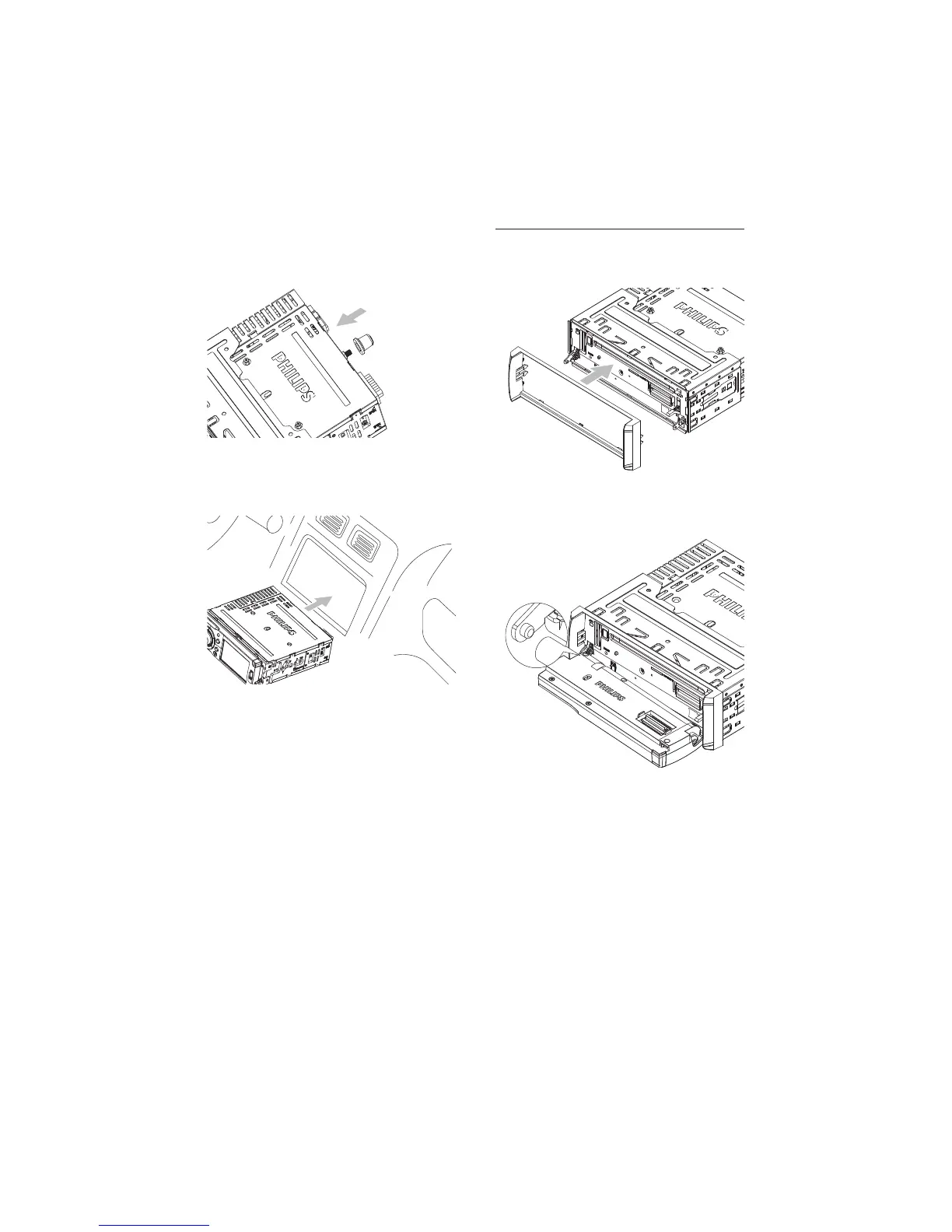
1 Attach the trim plate.
2 Insert the left side of the panel in the
chassis until it is correctly engaged.
3 Press the right side of the panel toward
the left and point the hole to the pillar on
the right.
4 Release the panel to engage the right
side.
5 Place the rubber cushion over the end of
the bolt.
6 Slide the unit into the dashboard until a
click sound is heard.
7 Reconnect the negative terminal of the
car battery.
EN



 To Next Page