22
TA (traffic announcement): allows •
you to receive traffic announcements
automatically no matter what source
you are listening to.
PTY (program type): search for •
stations broadcasting in the selected
category. Help you to find certain
type of programs.
EON (Enhanced Other Networks) •
local stations ‘break into’ a national
station’s broadcast for the duration
of a Traffic Announcement.
CT (clock time): synchronizes the •
clock of the unit with that on the
RDS station.
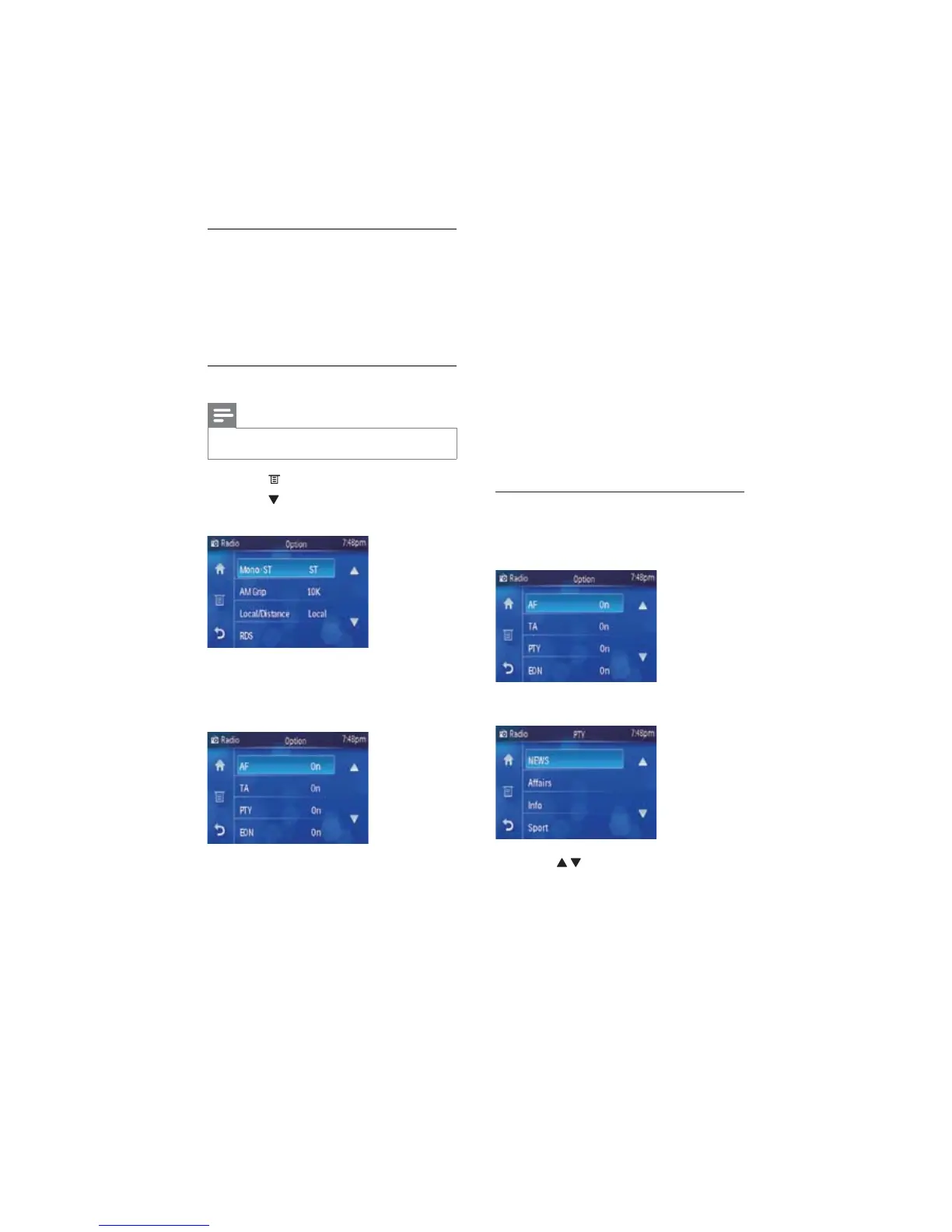
Search for an RDS station by PTY
information
1 Touch [PTY] under RDS menu.
The PTY menu displays. »
2 Touch / to navigate through all the
types.
3 Select a program type by touch on it.
The unit starts to search for the »
selected type of stations.
Play with RDS
The RDS (Radio Data System) function
operates only in areas with FM stations
broadcasting RDS signals. If you tune to an
RDS station, an RDS icon and the station
name are displayed.
Activate AF/TA/REG/CT functions
Note
RDS function is default off •
1 Touch to display radio option menu.
2 Touch to navigate to the second page
of the option menu.
3 Touch [RDS].
RDS is turned on. »
RDS menu displays. »
4 Touch the options to turn on/off each
function.
AF (alternate frequency): •
automatically searches for a different
station when the tuner cannot get a
good reception.
EN



 To Next Page