Page 57 DPM 8000 series - Technical Specification and Advanced Device Configuration
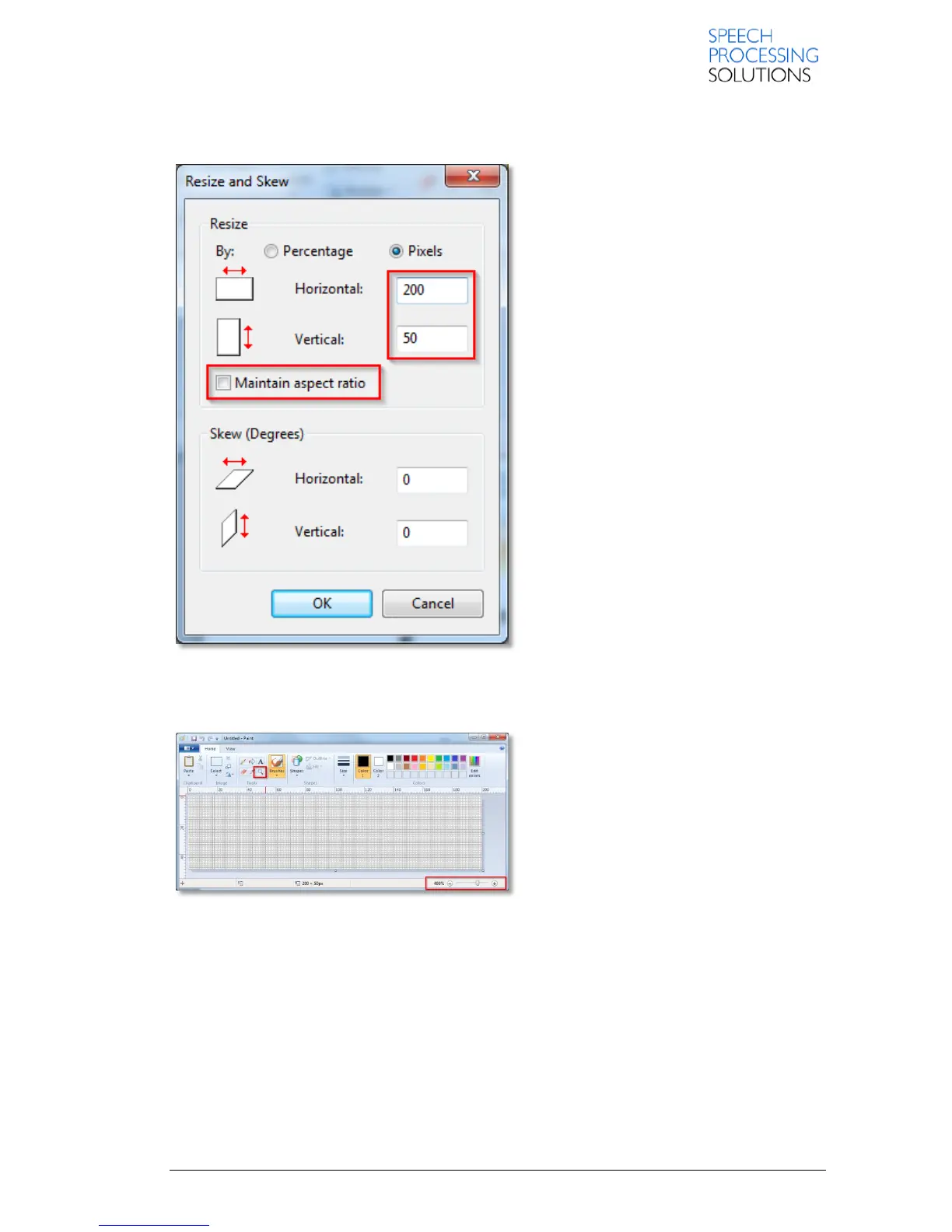
Select Pixel, deactivate the Maintain aspect ratio option and set the hotizontal and vertical pixel size:
Horizontal: 200, Vertical: 50. Click on OK and close the Resize and skew window.
Click on the magnifier symbol or use the Zoom-Slider and make the picture bigger.
1. Set the Color1 for foreground and Color2 for background
2. Click on Text [2]














 To Next Page