Page 58 DPM 8000 series - Technical Specification and Advanced Device Configuration
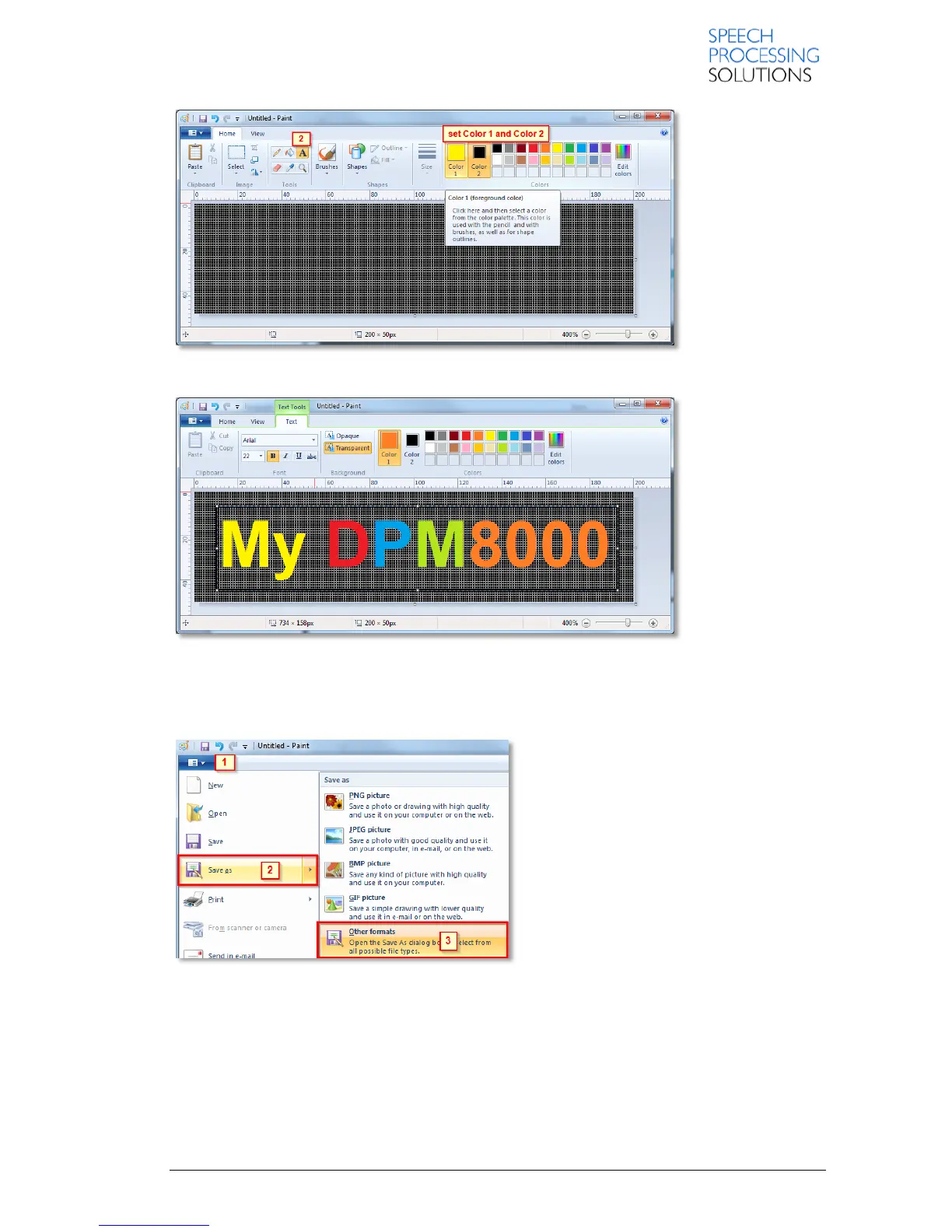
Create a text or paste a picture from clipboard, in our example we create a text.
If you have created the picture, then save this to your local folder (Desktop) and copy in the root
folder of the Digital Pocket Memo. By way of example we save this file directly to the DPM.
Click on Paint [1] select Save as [2] and click on Other formats [3]














 To Next Page