INTELIA 07 DISASSEMBLY
Saeco International Group Rev. 01 / September 2011 Page / 11
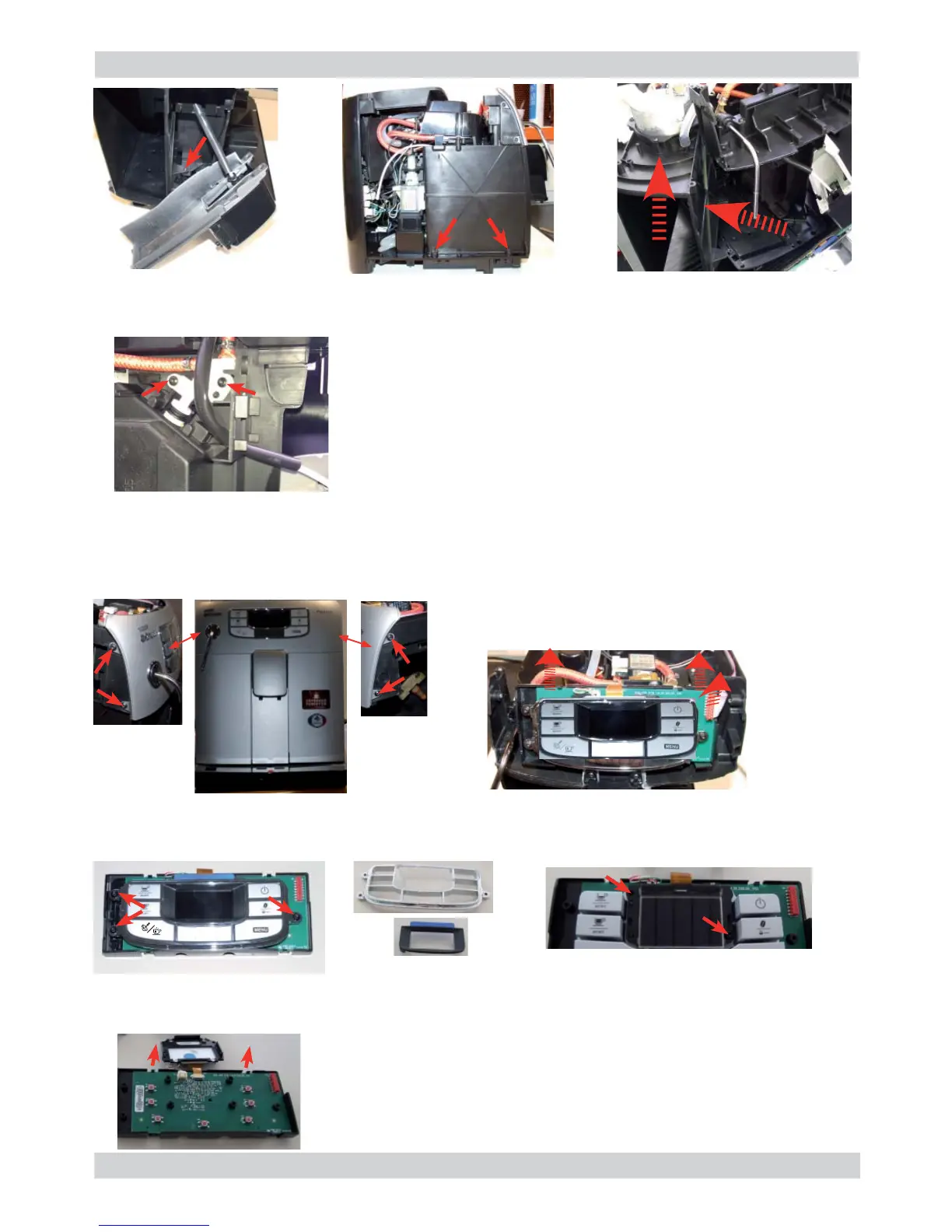
7.17. Control board and display
Loosen the screws as illustrated
and remove the front panel.
Disconnect the electrical connections
and unhook the card support.
Loosen the screws as
illustrated.
Remove the frame from
the keypad and the
display.
Remove the electrical connections between the card and the
display and release the card from the support.
Loosen the screws as
illustrated.
10
Loosen the screws as illustrated and release the insert in the bottom of the body to obtain easy
access for valve disassembly
Loosen the screws as illustrated,
remove the hydraulic connections
and take out the valve









 To Next Page