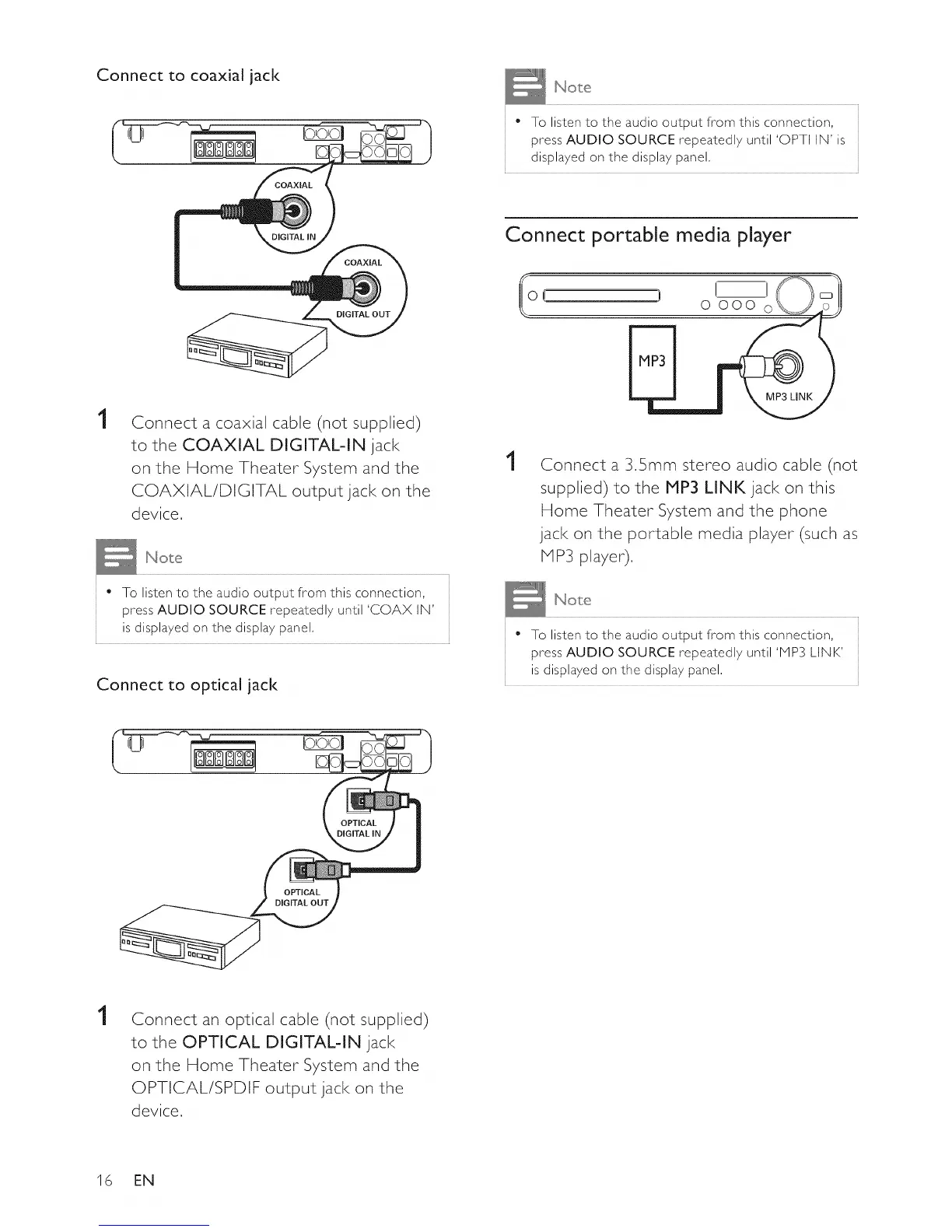
Connect to coaxial jack
• To listen to the audio output from this connection,
press AUDIO SOURCE repeatedly until 'OPTI IN' is
displayed on the display panel,
1
Connect a coaxial cable (not supplied)
to the COAXIAL DIGITAL-IN jack
on the Home Theater System and the
COAXIAL/DIGITAL output jack on the
device,
• To listen to the audio output from this connection,
press AUDIO SOURCE repeatedl 7 until 'COAX IN'
is displayed on the displa 7 panel,
Connect to optical jack
Connect portable media player
o{ ) o ooo
1
Connect a 3,5ram stereo audio cable (not
supplied) to the MP3 LINK jack on this
Home Theater System and the phone
jack on the portable media player (such as
HP3 player).
• To listen to the audio output from this connection,
press AUDIO SOURCE repeatedl 7 until 'MP3 LINK'
is displayed on the displa 7 panel,
OPTICAL
OPTICAL
DIGITAL OUT
1
Connect an optical cable (not supplied)
to the OPTICAL DIGITAL-IN jack
on the Home Theater System and the
OPTICAL/SPDIF output jack on the
device.
16 EN















 To Next Page