4 Get started
Insert the remote control
batteries
Control a play source
1 Select the source 7ou wish to control b7
pressing the AUDIO SOURCE, RADIO,
USB, DOCK or DISC button,
2 Then select the desired function (for
example I,, I_1),
Navigate through the menu
1
2
3
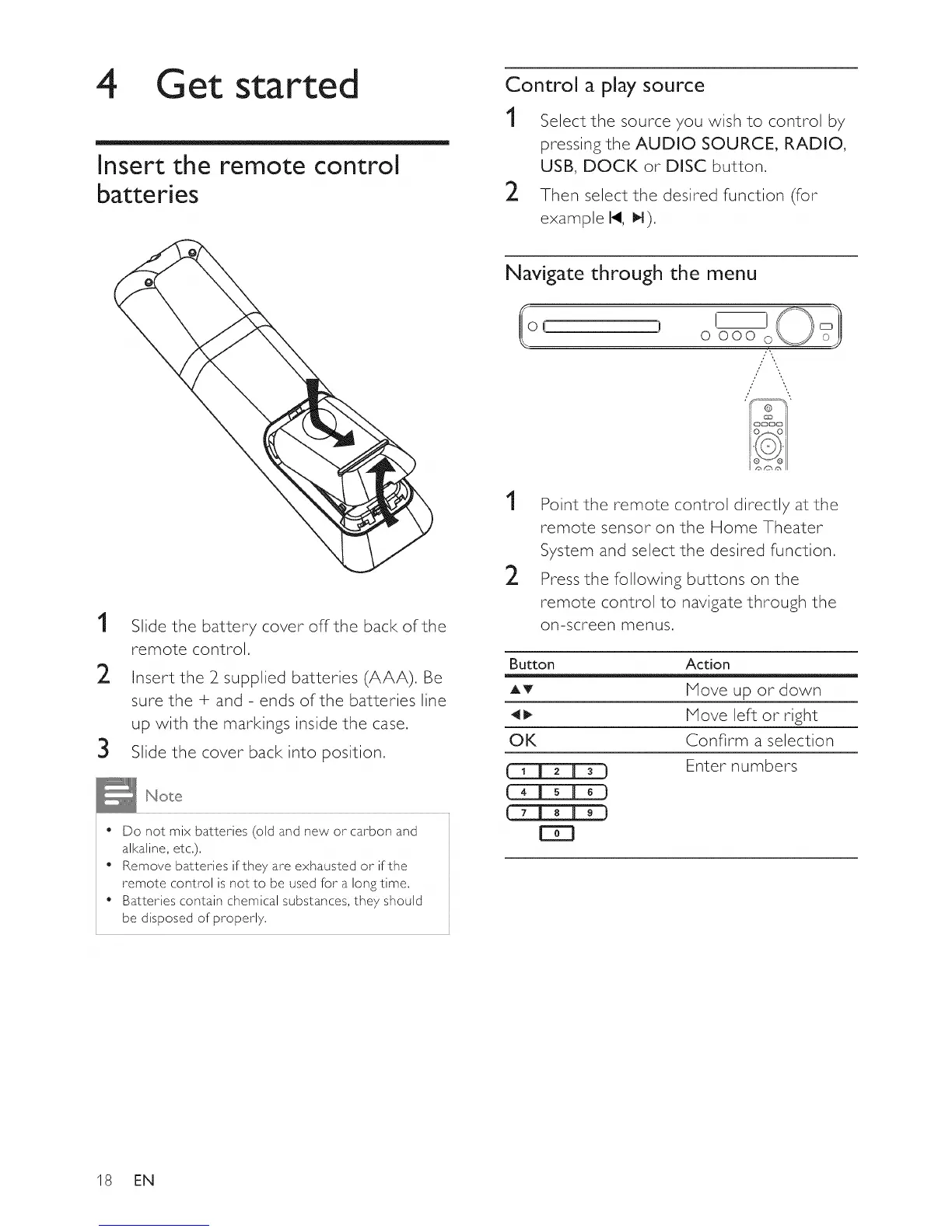
Slide the battery cover offthe back of the
remote control,
Insert the 2 supplied batteries (AAA), Be
sure the + and - ends of the batteries line
up with the markings inside the case,
Slide the cover back into position,
" Do not mix batteries (old and new or carbon and
alkaline, etc,),
• Remove batteries if they are exhausted or if the
remote control is not to be used for a long time,
• Batteries contain chemical substances, they should
be disposed of properly,
1
2
Point the remote control directly at the
remote sensor on the Home Theater
System and select the desired function,
Press the following buttons on the
remote control to navigate through the
on-screen menus,
Button Action
AT Move up or down
41t_ Move left or right
OK Confirm a selection
Enter numbers
18 EN















 To Next Page