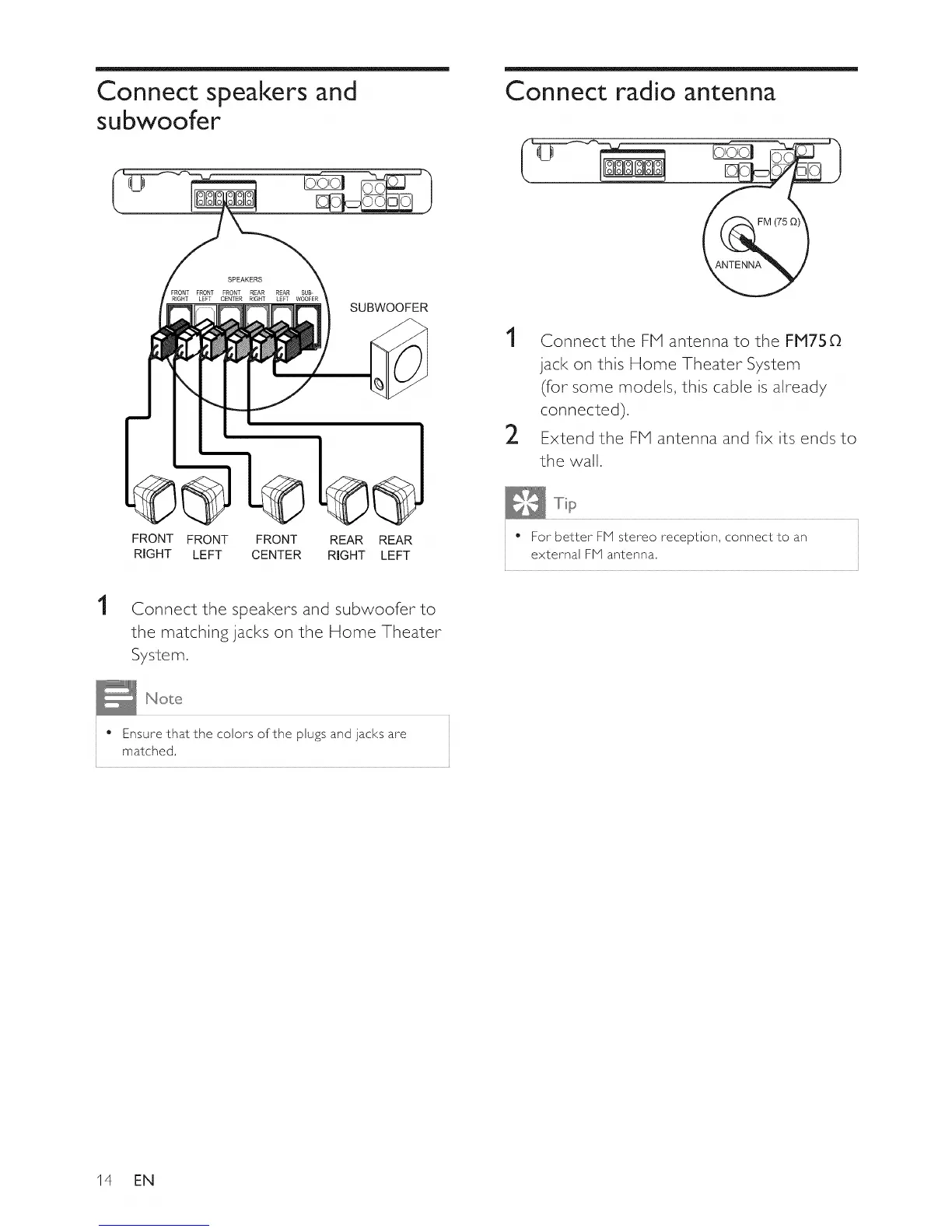
Connect speakers and
subwoofer
SPEAKERS
FRONT FRONT REAR REAR SUB-
LEFT CENTER RIGHT LEFT WOOFER
SUBWOOFER
FRONT FRONT FRONT
RIGHT LEFT CENTER
REAR REAR
RIGHT LEFT
1
Connect the speakers and subwoofer to
the matching jacks on the Home Theater
System.
Connect radio antenna
1
2
Connect the FPI antenna to the FM75E_
jack on this Home Theater System
(for some models, this cable is already
connected).
Extend the FPI antenna and fix its ends to
the wall.
" For better FM stereo reception, connect to an
external FM antenna.
• Ensure that the colors of the plugs and jacks are
matched,
14 EN















 To Next Page