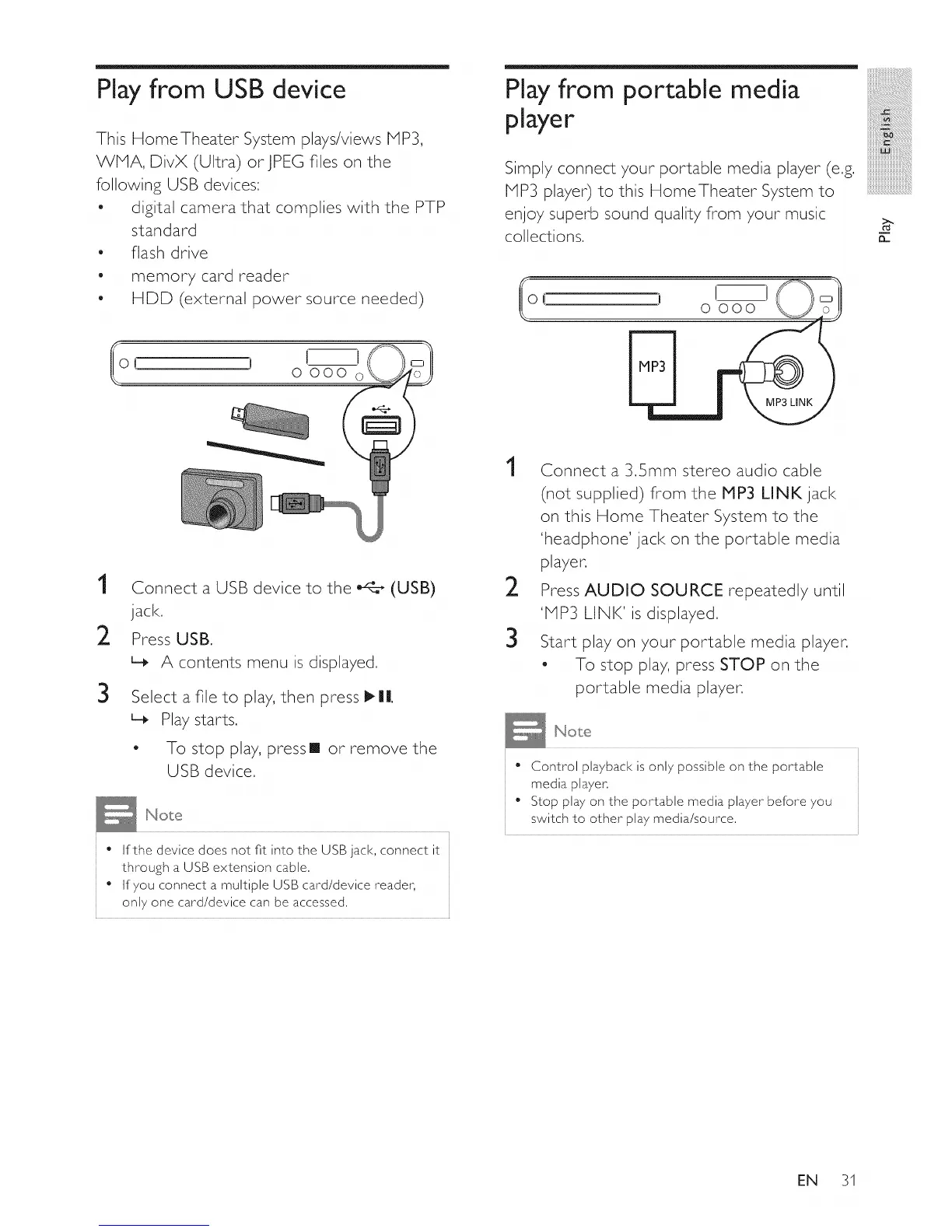
Play from USB device
This HomeTheater System plays/views MP3,
WP1A, DivX (Ultra) orJPEG files on the
following USB devices:
o digital camera that complies with the PTP
standard
flash drive
memory card reader
HDD (external power source needed)
Playfrom portable media
player
Simply connect your portable media player (e.g.
PIP3 player) to this HomeTheater System to
enjoy superb sound quality from your music
collections.
iB
iiiiiii!iiiii_!!i!i!i!i
mmmmmmmmmm_
iiiiiiiiiiiiiiiiiiiiiiiiiiiiiiiiiii
iiiiiiiiiiiiiiiiiiiiiiiiiiiiiiiiiiim
n
1
2
3
Connect a USB device to the _:_ (USB)
jack.
Press USB.
L_ A contents menu is displayed.
Select a file to play, then press _||.
L_ Play starts.
- To stop play, press [] or remove the
USB device.
• If the device does not fit into the USB jack, connect it
through a USB extension cable.
• If you connect a multiple USB card/device reader,
only one card/device can be accessed.
1
2
3
Connect a 3.Smm stereo audio cable
(not supplied) from the P1P3 LINK jack
on this Home Theater System to the
'headphone' jack on the portable media
player.
Press AUDIO SOURCE repeatedly until
'PIP3 LINK' is displayed.
Start play on your portable media player.
- To stop play, press STOP on the
portable media player.
Control playback is only possible on the portable
media player.
Stop play on the portable media player before you
switch to other play media/source.
EN 31















 To Next Page