3 Connect
Make the following connections to use your
Home Theater System.
Basic connections:
- Video
- Speakers and subwoofer
- Powe r
Optional connections:
- Radio antenna
- Audio
- Audio from TV
- Audio from cable box/recorder/
game console
- Other devices
- Portable media player
- USB device
- iPod docking station
o
o
Refer to the type plate at the back or bottom of the
product for identification and supply ratings,
Before you make or change any connections, ensure
that all the devices are disconnected from the power
outlet,
* Different types of connectors may be used to
connect this product to your TV, depending on
availability and your needs, A comprehensive
interactive guide to help you connect your product is
available at www, connectivityguide,philips,com,
Place the Home Theater
System
Place the Home Theater System where
it cannot be pushed, pulled over or
knocked down, Do not place it in an
enclosed cabinet,
Be sure that you have full access to the
power cord for easy disconnection of the
Home Theater System from the power
supply,
1
2
3
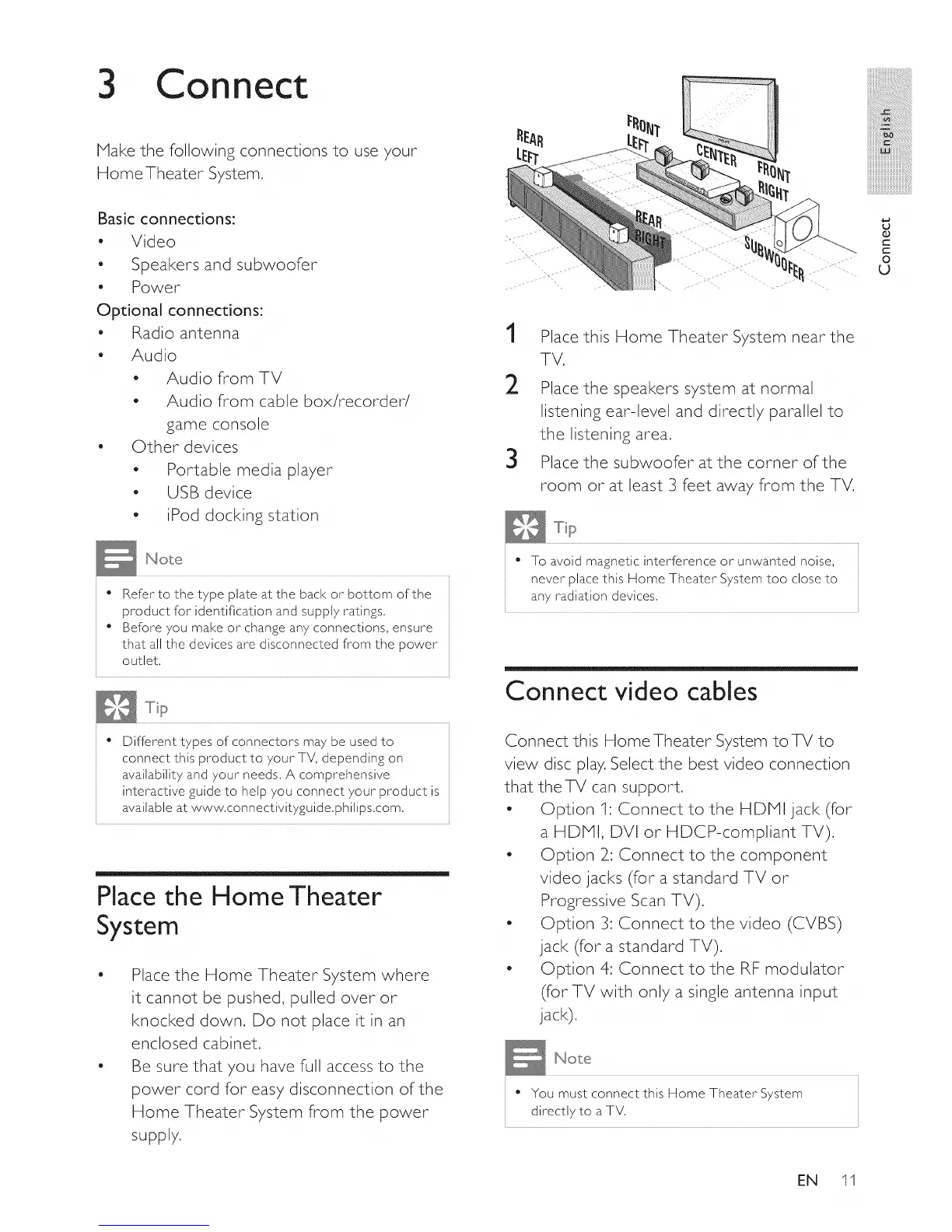
Place this Home Theater System near the
TV,
Place the speakers system at normal
listening ear-level and directly parallel to
the listening area,
Place the subwoofer at the corner of the
room or at least 3 feet away from the TV,
* To avoid magnetic interference or unwanted noise,
never place this Home Theater System too close to
any radiation devices,
Connect video cables
Connect this Home Theater System toTV to
view disc play. Select the best video connection
that the TV can support.
- Option 1: Connect to the HDPll jack (for
a HDPII, DVI or HDCP-compliant TV).
- Option 2_:Connect to the component
video jacks (for a standard TV or
Progressive Scan TV).
- Option 3: Connect to the video (CVBS)
jack (for a standard TV).
- Option 4: Connect to the RF modulator
(forTV with only a single antenna input
jack),
* You must connect this Home Theater System
directly to a TV,
EN 11
iii_!iiiiiiiiiiiiiiii_iii!iiiiiiiiiiii
iiiiiii!iiiii_!!i!i!i!i
iiiiiiiiiiiiiiiiiii@!_ii!ili
iiiiiiiiiiiiiiiiiiiiiiiiiiiiiL
mmmmmmmmmm_
iiiiiiiiiiiiiiiiiiiiiiiiiiiiiiiiiil......
iiiiiiiiiiiiiiiiiiiiiiiiiiiiiiiiiiiii_
u
0
C
t-
O
u















 To Next Page