9 Additional
Information
Update software
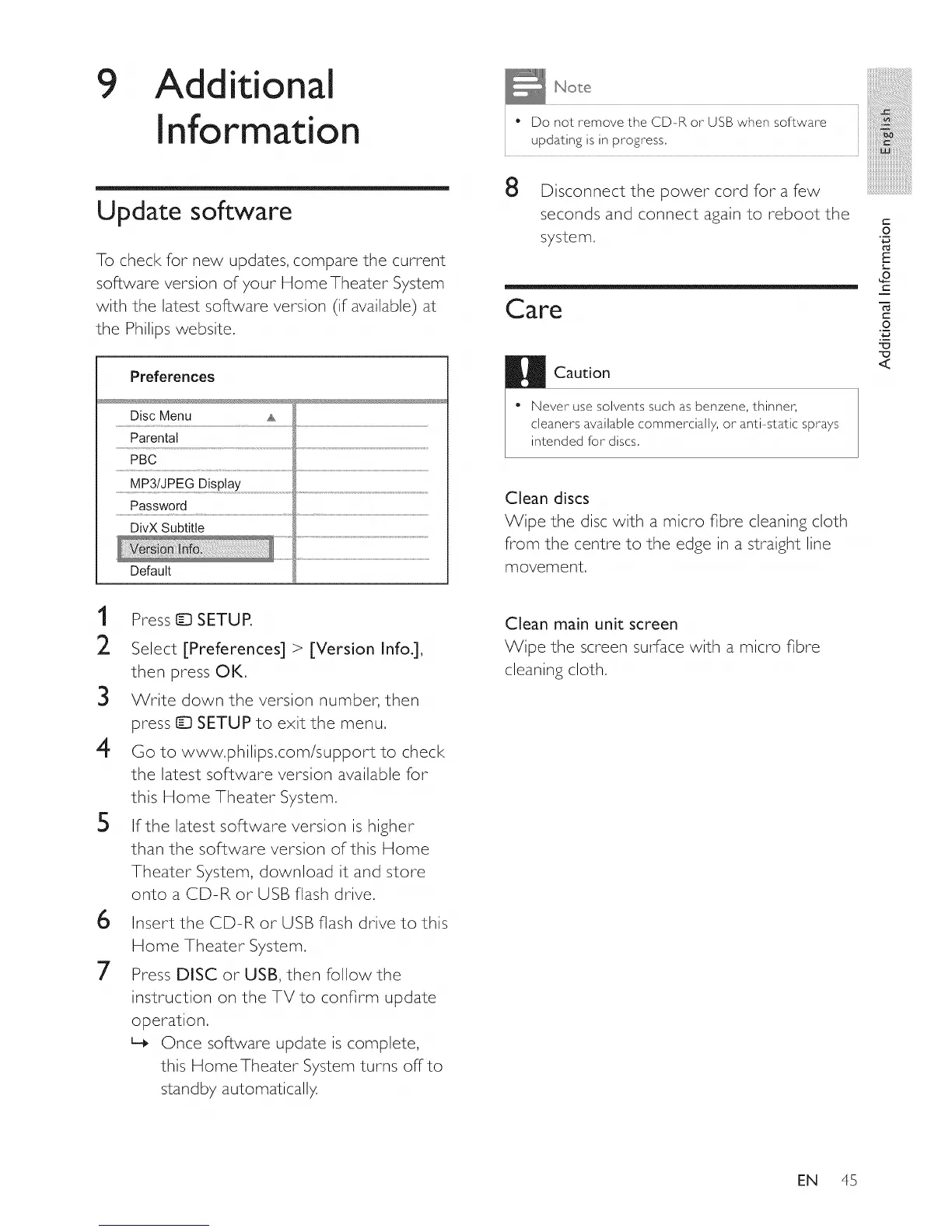
To check for new updates, compare the current
software version of your Home Theater System
with the latest software version (if available) at
the Philips website.
Preferences
Disc Menu
Parental
PBC
MP3/JPEG Display
Password
DivX Subtitle
DefauIt
No e iiii
i i ii!_i!iiiiiiiiiiiiiiiiiiiiiiiiiiiiii_il;_ii@i!ii!ii!ii
i * Do not removethe CD-RorUSB when software i iiiiiii'ilili!!i!iiiii!iiiii!i!;iiiiiiiiiiiiiiiiill
i updating is in progress, i iiiiiiiiiiiiiiiiii_iiii!i!iiiiiiiiii_iiiiili!i!iiiil
, ,311_3,,
iiiiiiiiiiiiiiiiiiiiiiiiB:
Disconnect the power cord for a few
seconds and connect again to reboot the =
system,
Care
Caution
O
E
L
_o
C
C
O
"13
<
* Never use solvents such as benzene, thinner,
cleaners available commercially, or anti-static sprays
intended for discs,
Clean discs
Wipe the disc with a micro fibre cleaning cloth
from the centre to the edge in a straight line
movement.
1
2
Press [D SETUP,
Select [Preferences] > [Version Info.],
then press OK,
3 Write down the version number, then
press I_ SETUP to exit the menu.
4 Go to www.philips.com/support to check
the latest software version available for
this Home Theater System.
5 If the latest software version is higher
than the software version of this Home
Theater System, download it and store
onto a CD-R or USB flash drive.
6
7
Insert the CD-R or USB flash drive to this
Home Theater System.
Press DISC or USB, then follow the
instruction on the TV to confirm update
operation.
L_ Once software update is complete,
this Home Theater System turns offto
standby automatically,
Clean main unit screen
Wipe the screen surface with a micro fibre
cleaning cloth.
EN 45















 To Next Page